Verify emails
Check emails before they go into your contacts — only the ones that are safe to send to get in.
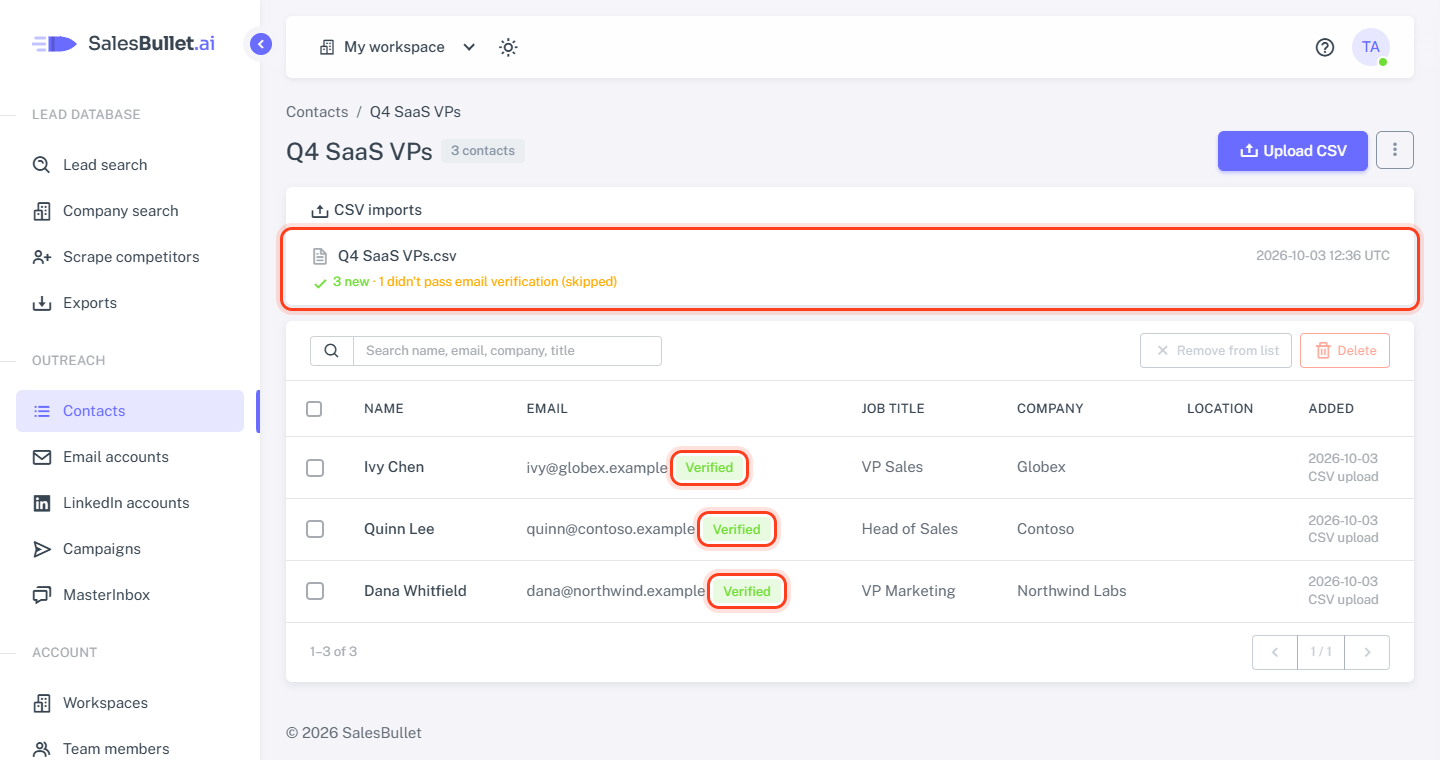
Bounced emails hurt your email accounts' reputation, so SalesBullet checks emails before they go into your contacts: when you upload a CSV file and, if you like, when you add people from Lead search. Those that pass get the Verified badge; the others stay out.
When you upload a CSV file
On the Check the columns page, Verify the emails first is ticked. Every email in the file is checked before the import, and only the rows whose email passes are imported. Rows with only a LinkedIn profile still go in for LinkedIn only. People skipped as already in your contacts aren't checked.
Untick it to import the emails as they are, without the badge — your campaigns will email them all the same.
When you add people from Lead search
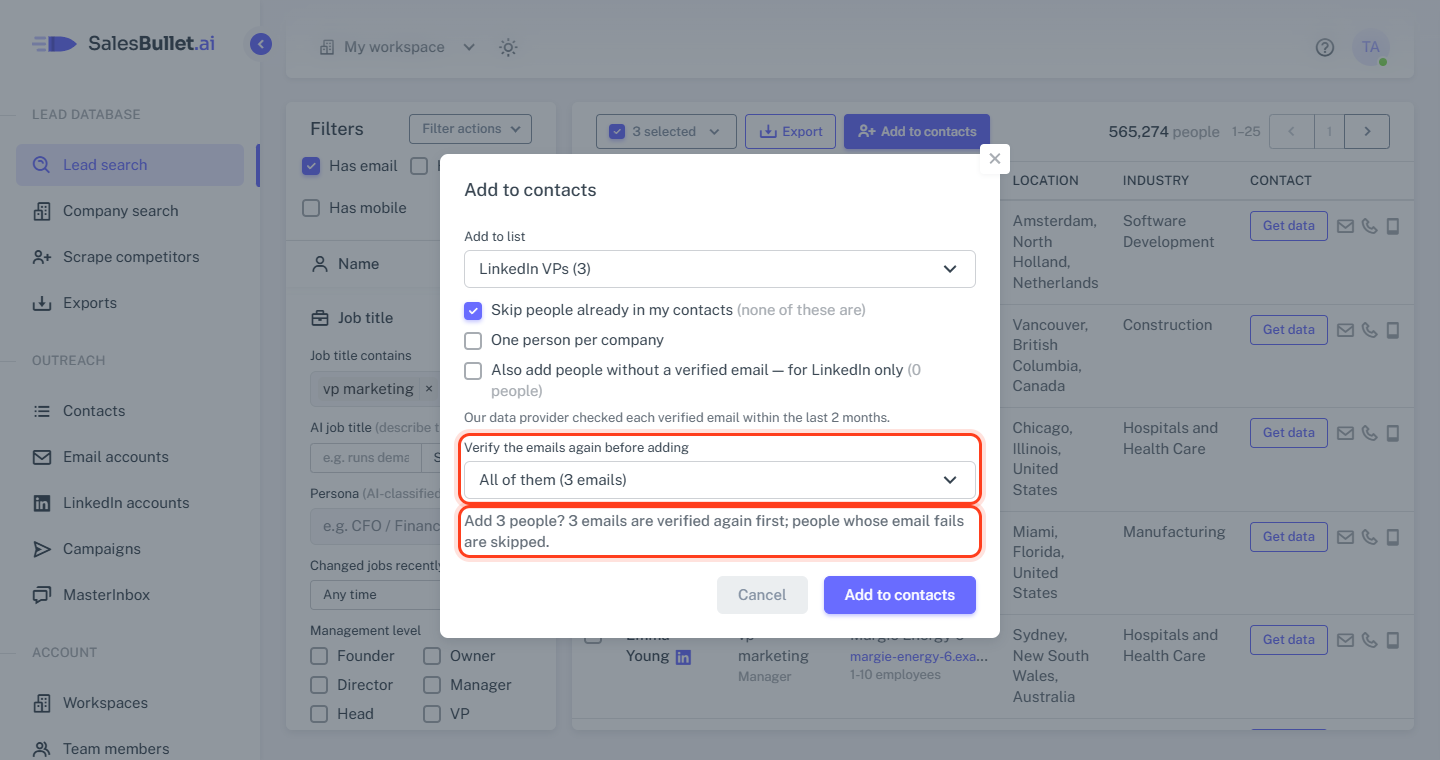
Lead search adds people with their email only when it's verified: our data provider checked it within the last 2 months. To check those emails again first, choose in the Add to contacts window under Verify the emails again before adding:
- No — the default
- Emails verified more than a month ago
- Emails verified more than 15 days ago
- All of them
Each option says how many emails it checks. People whose email passes go in; the others are skipped — or, with Also add people without a verified email — for LinkedIn only ticked, go in for LinkedIn only, without the email.
What passes
An email passes when it's safe to send to — a role address such as support@ too, if it accepts mail. These don't:
- catch-all addresses — the domain accepts any address, so there's no telling
- invalid or disabled addresses, and ones the check can't confirm
- disposable addresses, full inboxes and spam traps
A passing email gets the Verified badge — point at it to see the date. The badge shows for 2 months.
How long it takes
Checking runs in the background, so you can leave the page. A few emails take seconds; thousands take longer.
- A CSV upload: the list's CSV imports box — "Verifying emails: 1,200 of 5,000 checked", then the import. At the end it says how many "didn't pass email verification (skipped)".
- An add from Lead search: the Exports page — Verifying emails and how many are checked, then how many emails didn't pass. You also get an email when the people are in.
Note
If checking can't start — "Email verification isn't available right now" — or isn't done within a day, the import or add stops. Try again later, or upload without verifying.