What SalesBullet does
Find the right people, get their emails and phone numbers, and reach them by email and LinkedIn — in one place.
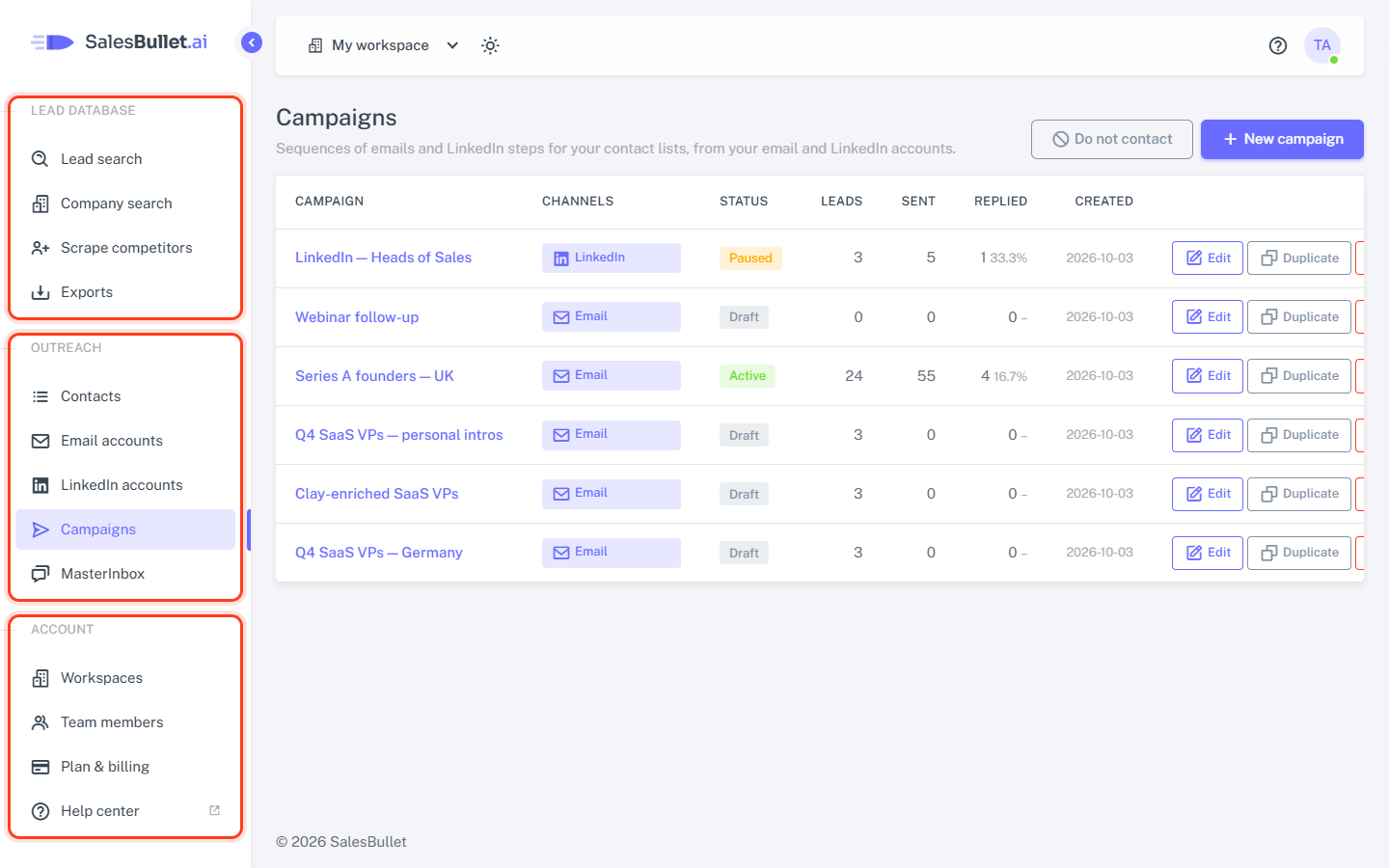
SalesBullet takes you from "who should we talk to?" to a booked call. The menu follows the same order: find the people, reach them, answer their replies.
Find the people
- Lead search — search people by job title, company, industry, location and more, or describe the companies you want in your own words. Click Get data to see someone's email and phone number.
- Company search — find companies first, then the right people in them.
- Scrape competitors — the people who follow your competitors' LinkedIn pages, matched with their emails.
Tip
Leads are unlimited. Look people up, add them to your contacts and run campaigns to as many as you like — even a million leads a month. Downloading leads as a CSV file is capped at 10,000 a month, Get data at 5,000 new people a day, and phone numbers at 10,000 people a month. More — that's the Unlimited plan; Free has 30 leads to try (plans).
Keep them in lists
Add to contacts saves the people you choose into a contact list — only those with a verified email, unless you add the others for LinkedIn. You can also upload your own CSV file; the emails can be verified on the way in.
Reach them
- Email accounts — connect your Gmail, Microsoft 365 or any other mailbox, or buy new domains and email accounts that are ready to send. Warm-up helps your emails land in the inbox.
- LinkedIn accounts — connect LinkedIn to visit profiles, send connection requests and messages.
- Campaigns — a sequence of emails and LinkedIn steps that goes out to your lists on your schedule, from your accounts, with each person's details filled in. AI can research each lead and write them a personal intro.
Answer the replies
Every reply, from every email and LinkedIn account, lands in the MasterInbox. A reply stops that person's sequence. Labels — set by you or by AI — sort the interested from the rest, and Suggest reply drafts your answer.
Work as a team
Invite your team into a workspace: everyone sees the same lists, campaigns and replies. Agencies keep each client in a workspace of its own.
Tip
Ready to start? Your first campaign, step by step walks you through it.