Unlimited leads, and your CSV exports
Leads are unlimited in SalesBullet — only downloading them as a CSV file is capped. Your exports, and their files.
Leads are unlimited. Search, add people to your contacts and run campaigns to as many as you like — even a million leads a month. What's capped is taking leads out of SalesBullet as a CSV file — and how many people Get data shows a day. This is the Unlimited plan; the Free plan has 30 free leads to try it (plans).
Unlimited, except CSV files
| In SalesBullet | How much |
|---|---|
| Searching people and companies | Unlimited |
| Get data — emails | 5,000 people new to your team a day |
| Phone numbers (shown by Get data) | 10,000 people a month |
| Add to contacts | Unlimited — up to 1,000,000 people in one go, as often as you like |
| Leads in your campaigns | Unlimited — even a million leads a month |
| Email accounts, LinkedIn accounts, workspaces | Unlimited |
| Downloading people as a CSV file | 10,000 a month |
| Downloading companies as a CSV file | 10,000 a month |
How many emails your campaigns send a day grows with the email accounts you connect — see Sending limits and pace.
The Exports page
Exports, in the menu, lists every export and add to contacts in your workspace — from Lead search, Company search and Scrape competitors, yours and your teammates'. The tabs All, People and Companies filter the list. Each row shows:
- Type — People to CSV, People to contacts or Companies to CSV.
- Started — the date and time, in UTC.
- Status — Waiting, Working, Verifying emails, Done or Failed (with the reason).
- Rows — how many people or companies; "up to" while it runs.
- Download for a file, Open list for people added to contacts.
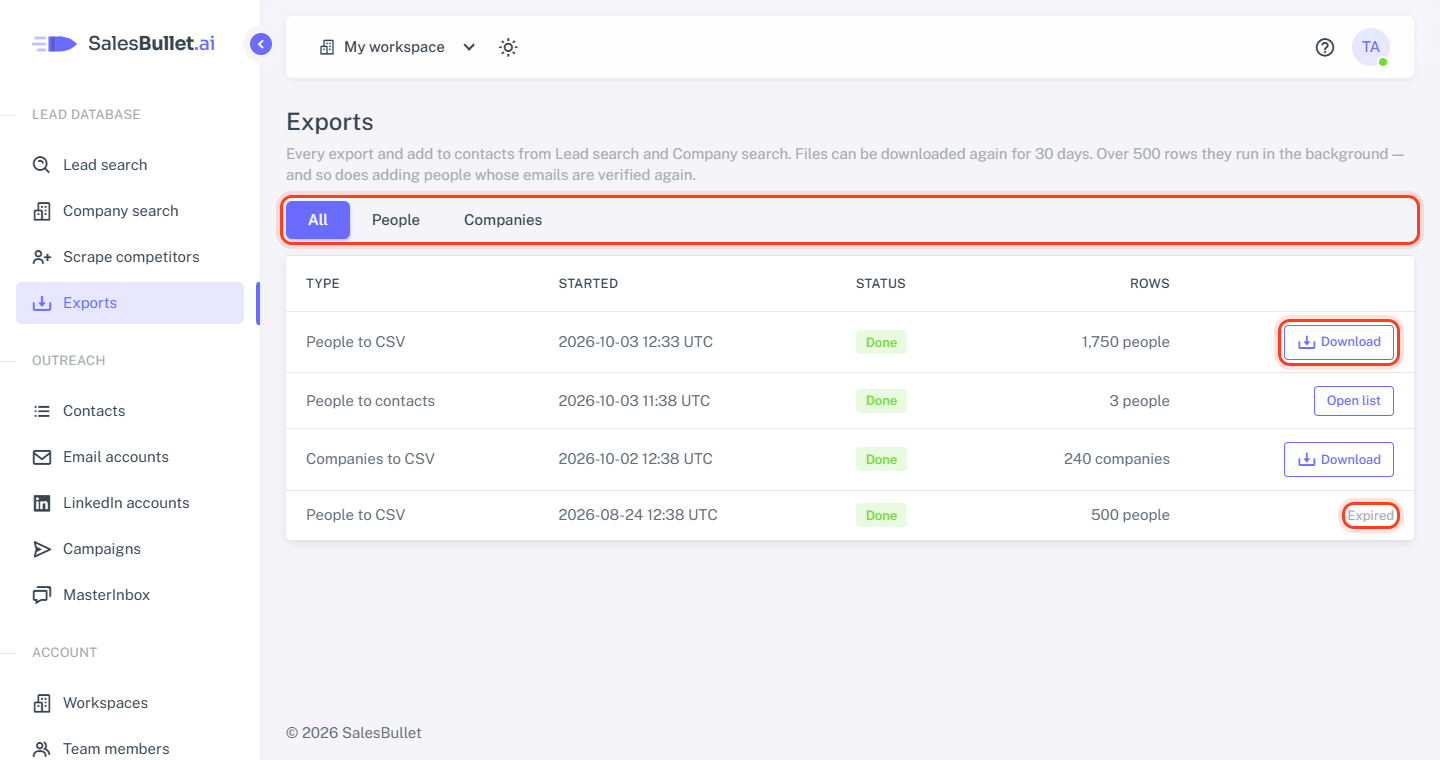
Files can be downloaded again for 30 days. After that they're deleted and the row says Expired.
Big exports run in the background
Up to 500 rows, the file downloads at once — and is listed here too. Over 500 rows, and adds that verify the emails again, run in the background: the page shows the progress and updates itself. You can close it — when it's done, whoever started it gets an email, such as "Your export of 2,400 people is ready", with an Open Exports link. If it fails, the email says why.
CSV files: 10,000 a month
Downloading leads as a CSV file is capped at 10,000 people and, separately, 10,000 companies each calendar month (UTC).
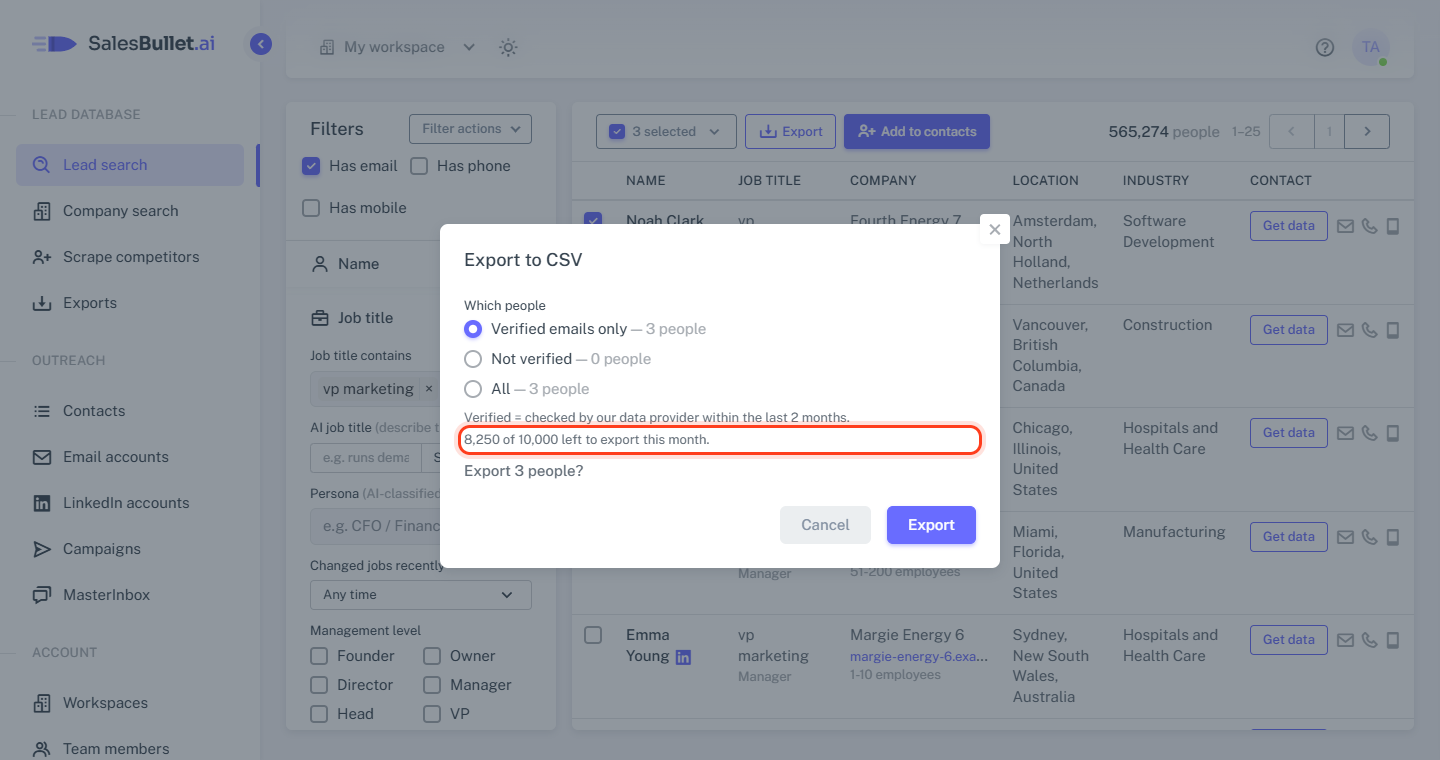
- The Export to CSV window shows what's left — for example "8,250 of 10,000 left to export this month."
- An export bigger than what's left doesn't start.
- Finished exports count their rows, running ones what they asked for. Failed ones don't count.
- Not counted: Add to contacts, downloading a file again, and the downloads in Scrape competitors.
Tip
Want more people than that? Add them to your contacts instead — no limit — and reach them from your campaigns: Add people to your contacts, or export them.