Add people to your contacts, or export them
Put as many people as you like in a contact list for your campaigns — or download them as a CSV file.
In Lead search, select the people you want. Then:
- Add to contacts puts them in a contact list your campaigns can use — no limit: up to 1,000,000 people in one go, as often as you like.
- Export downloads them as a CSV file — up to 10,000 people a month.
Select people
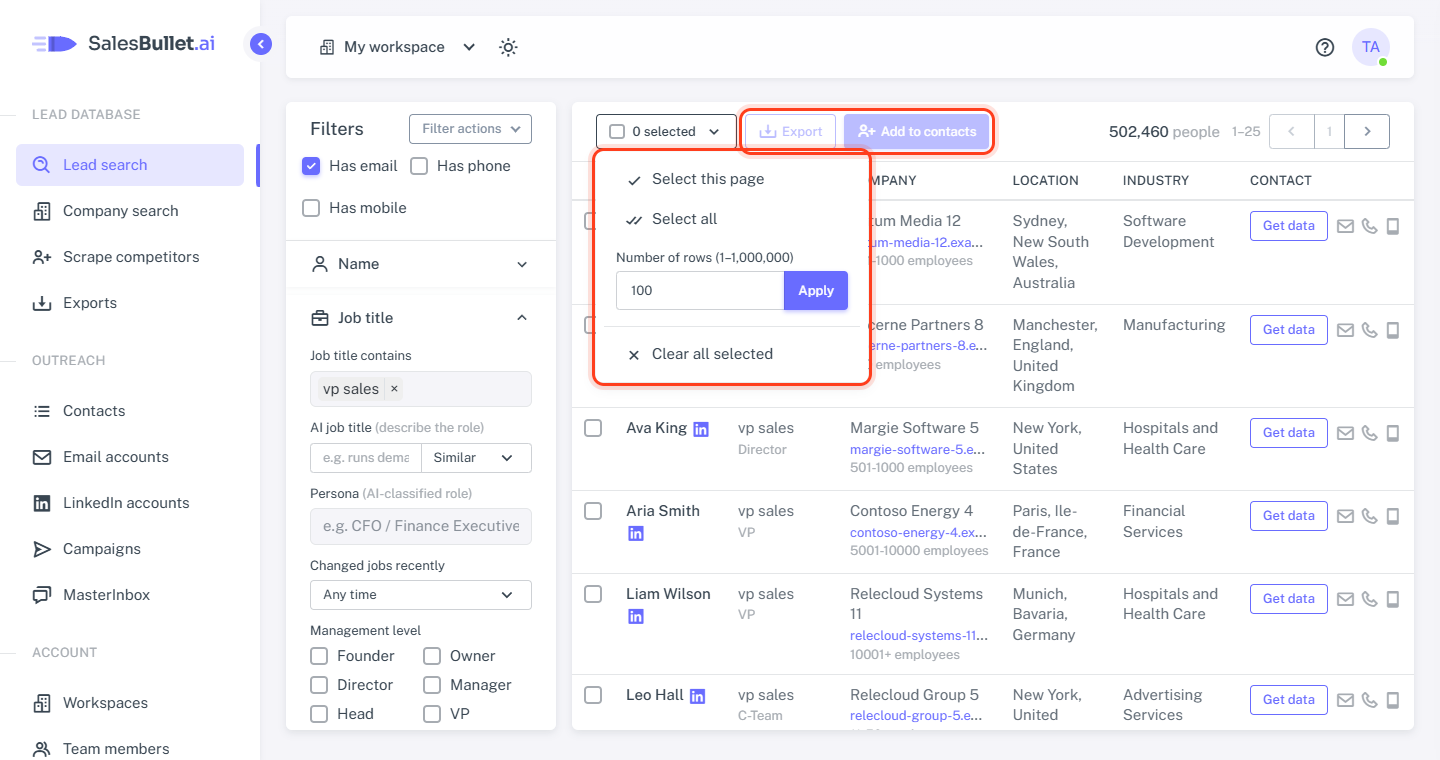
Tick the box on a row, or open the 0 selected menu next to Export:
- Select this page — the 25 people you see.
- Select all — everyone the search found, up to 1,000,000.
- Number of rows — the first 1 to 1,000,000: type a number and click Apply.
- Clear all selected.
The selection stays when you change pages and goes when you change a filter. You can still tick and untick single rows.
Add to contacts — no limit
- Click Add to contacts.
- Under Add to list, pick a list (the one changed last is already picked), or choose + New list and type a name.
- Set the options, check the line at the bottom — "Add 18 people? 6 without a verified email will be skipped." — and click Add to contacts.
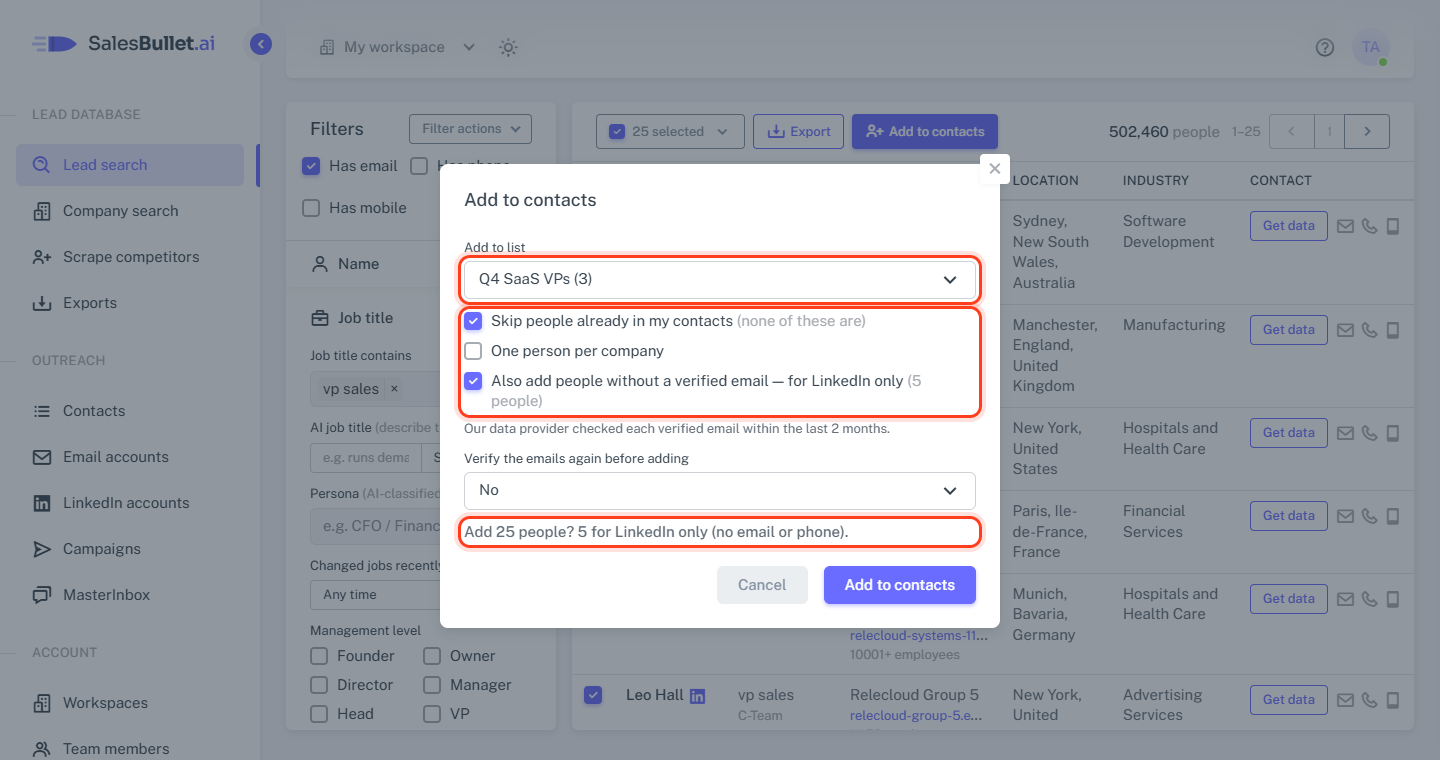
People with a verified email go in with their email — and their phone numbers when Get data showed them. The options:
- Skip people already in my contacts — on: they're left out (the dialog says how many). Off: they're updated and put in this list too.
- One person per company — only the first person of each company, in the order of the results.
- Also add people without a verified email — for LinkedIn only — they go in without an email or phone number, for LinkedIn steps.
- Verify the emails again before adding — check older emails, or all of them, once more first. People whose email fails are skipped, or go in for LinkedIn only when that's ticked (Verify emails).
Then add the list to a campaign and reach them all — Create a campaign and add leads.
Export a CSV file — 10,000 a month
- Click Export.
- Under Which people, choose Verified emails only, Not verified or All. Verified means our data provider checked the email within the last 2 months.
- Click Export. The file downloads — and it's on the Exports page too, for 30 days.
Each row has the person's name, job title, email (and when it was last verified), phone, mobile, LinkedIn URL and location, then their company's details.
Note
Only downloading to CSV is capped: 10,000 people a month. The window shows what's left — "9,368 of 10,000 left to export this month" — and a bigger export can't start. Adding people to your contacts, and emailing them from your campaigns, has no limit. More in Unlimited leads, and your CSV exports.
Big selections
Up to 500 people are done right away. More — and every add that verifies emails again — run in the background. Follow them on the Exports page; we email you when they're done.
Note
A big selection takes the first people that match your search, less the ones you unticked. They match the same filters, but may not be exactly the rows you saw.