Scrape your competitors' followers
Get the people who follow a competitor's LinkedIn page — with verified emails where we have them.
People who follow a competitor's LinkedIn page care about what you sell. Scrape competitors gets them for you and finds their verified emails in our lead database. Then add them to your contacts — each with the page they follow — or download them.
Each follower takes 1 scrape credit, verified emails included where we have them. Your scrape credits show at the top right of the page.
1. Check the pages
- Open Scrape competitors and paste the pages under Competitor LinkedIn pages — one per line, up to 10. For
example:
https://www.linkedin.com/company/contoso. - Click Check followers. It takes up to 20 seconds.
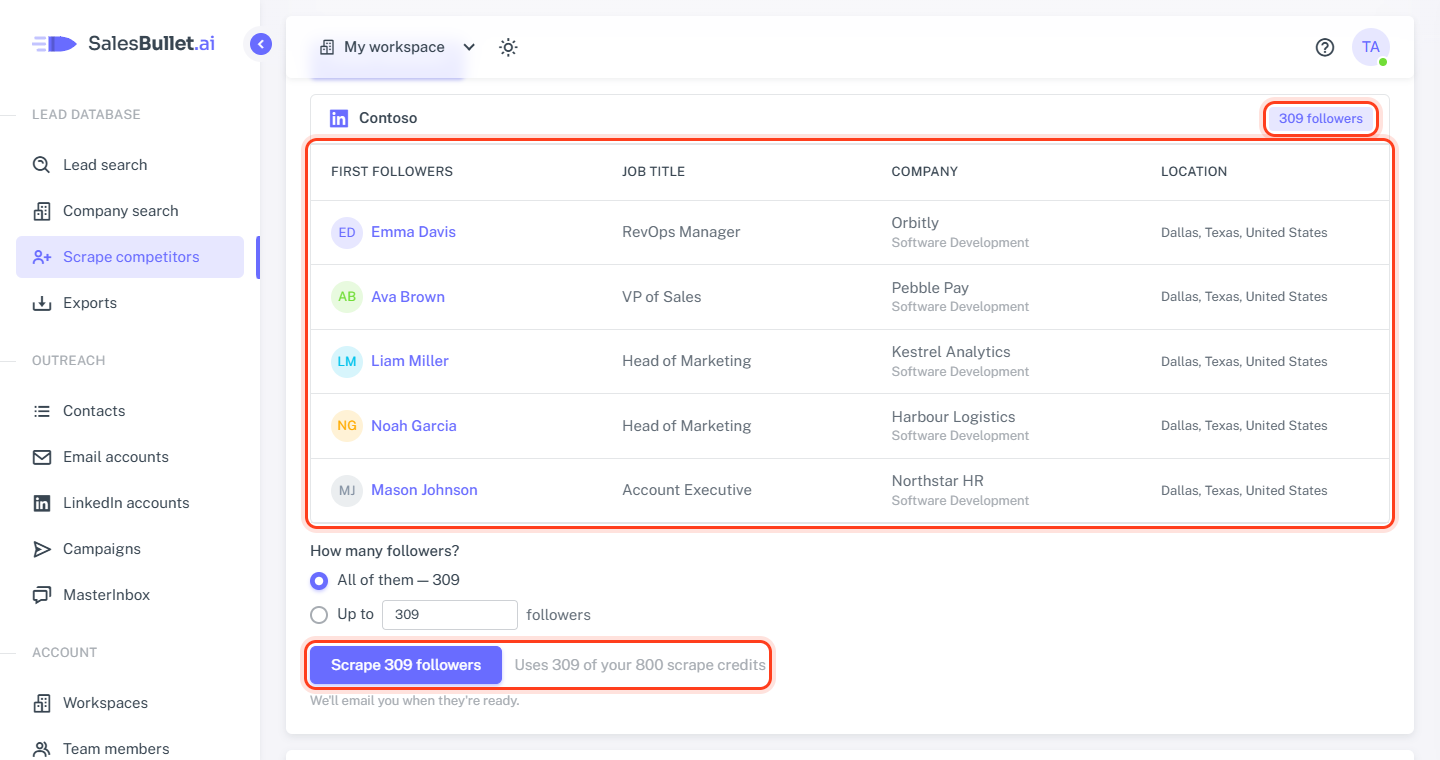
Each page shows how many followers you'd get and its first 5 followers: name, job title, company and location. Nothing is bought yet. A page that isn't a company page, or has fewer than 100 followers, says so in red and is left out.
If a page says "Its followers can't be shown right now.", check it again later to see them.
2. Scrape them
Under How many followers? choose All of them, or Up to a number from each page (at least 100). If your credits don't cover them all, Up to is picked for you.
The button says how many — Scrape 1,250 followers — and the line beside it how many credits that uses. Click it: the credits are taken at once.
Scraping takes hours — up to two days for a big page. We email you when the followers are ready.
3. Follow it in Your scrapes
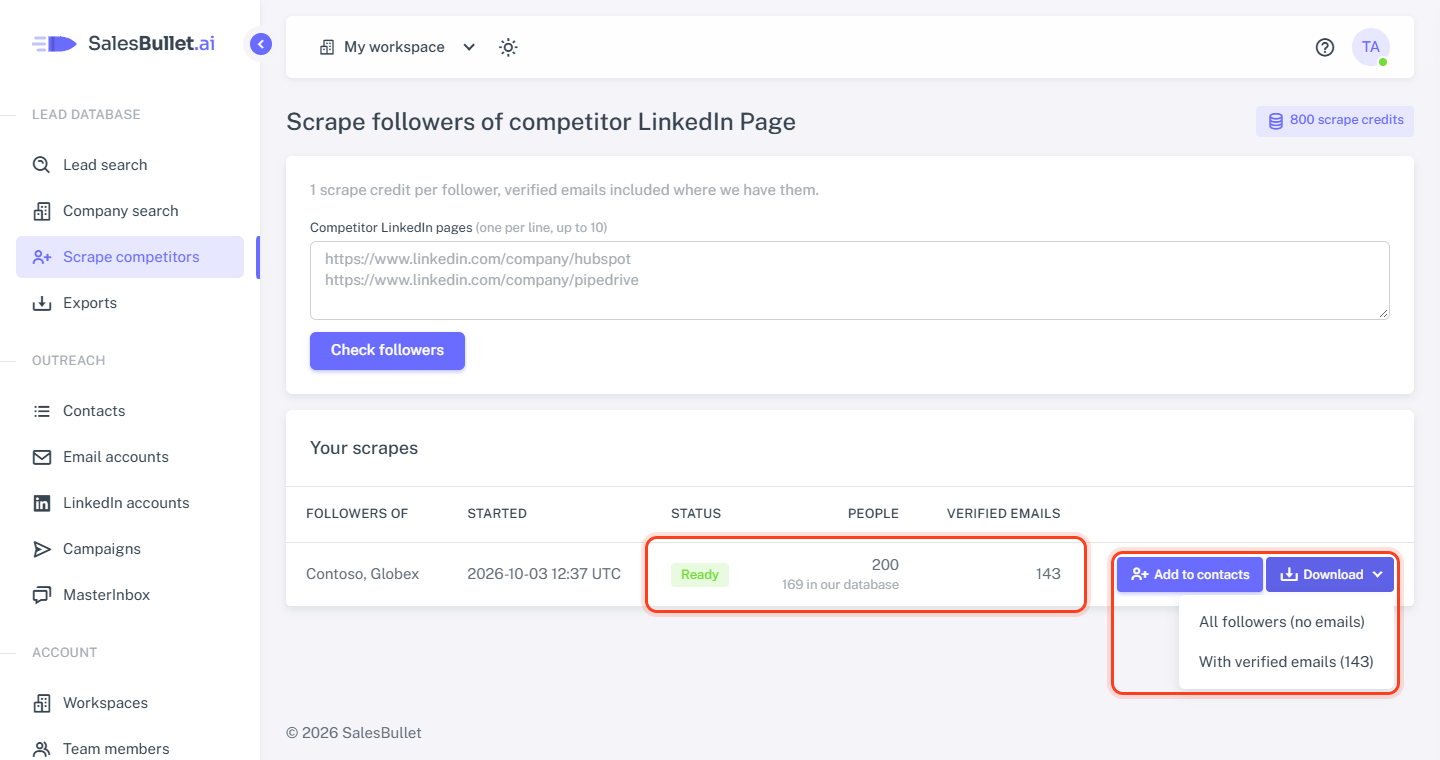
Your scrapes shows each scrape: Scraping, then Finding emails while we look the followers up in our lead database, then Ready — with the People, how many are in our database, and the Verified emails. Someone who follows two of the pages counts once.
Note
Credits come back for a page that can't be scraped, and for followers a page didn't deliver. If nothing could be scraped, the scrape shows Failed.
4. Add them to your contacts
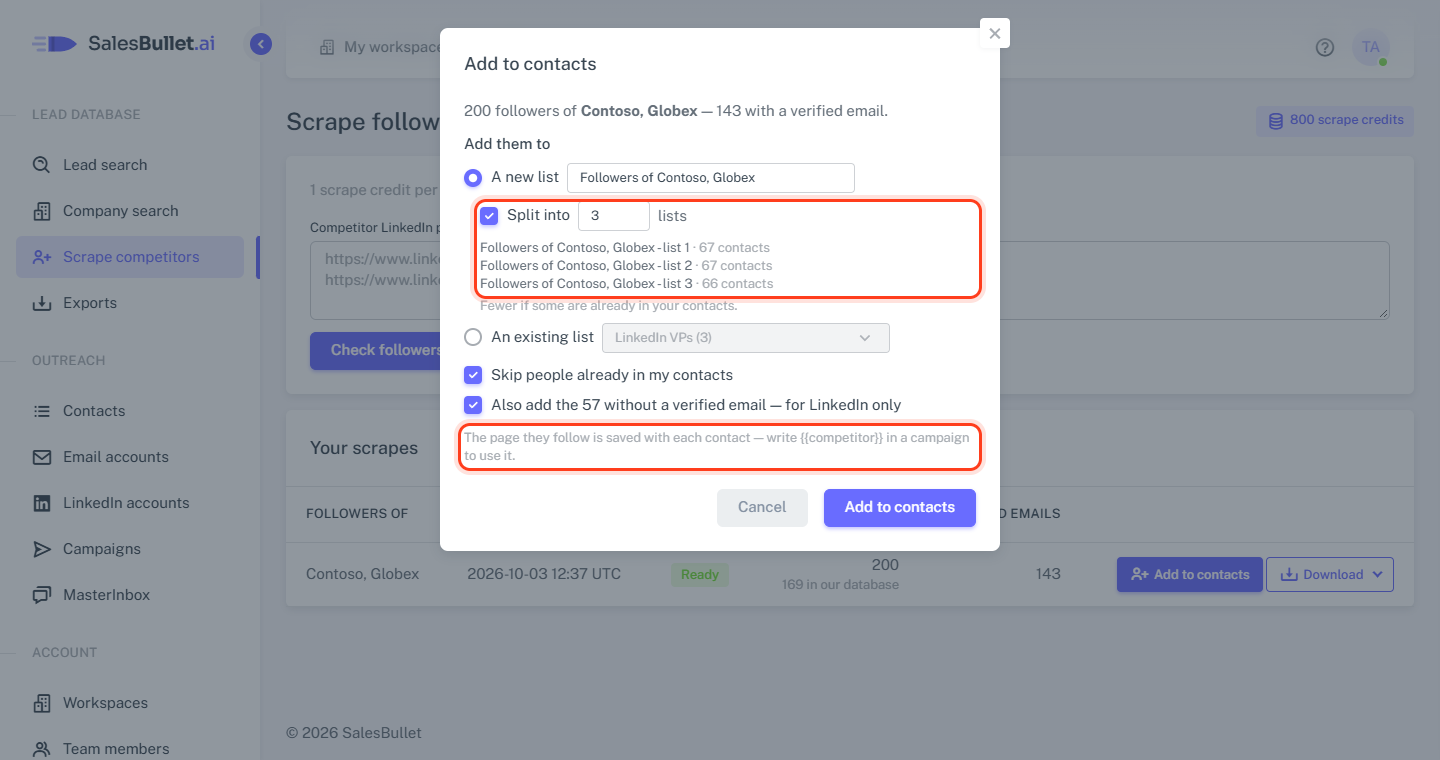
Click Add to contacts on a ready scrape:
- A new list — named "Followers of …" — or An existing list.
- Split into … lists — 2 to 20 new lists, "… - list 1", "… - list 2" and so on, with the people dealt out evenly. Handy for trying different messages.
- Skip people already in my contacts — on.
- Also add the … without a verified email — for LinkedIn only — on: they go in without an email, for LinkedIn steps.
It runs in the background — follow it on the Exports page. Each contact keeps the page they follow in the field
Competitor: write {{competitor}} in a message to use it (variables).
5. Download them
Download has two CSV files:
- All followers (no emails) — everyone, and whether we have a verified email for them.
- With verified emails — only the people with a verified email, their emails and phone numbers in.
Download them as often as you like — they don't count toward the monthly CSV export limit. Adding the followers to your contacts and downloading them use no more credits.