Variables and fallbacks
Put each lead's own details into your messages — and say what goes there when a detail is missing.
A variable is a name in double braces that each lead's own value replaces when the message goes out:
Hi {{first_name}}, reads "Hi Dana," for Dana Whitfield and "Hi Quinn," for Quinn Lee. Variables work in subjects and
texts, in emails and LinkedIn messages alike.
Put one in
Under each message, click {{first_name}} or {{company_name}} — or All variables for the others. The variable
goes where you were typing. You can type one yourself too.
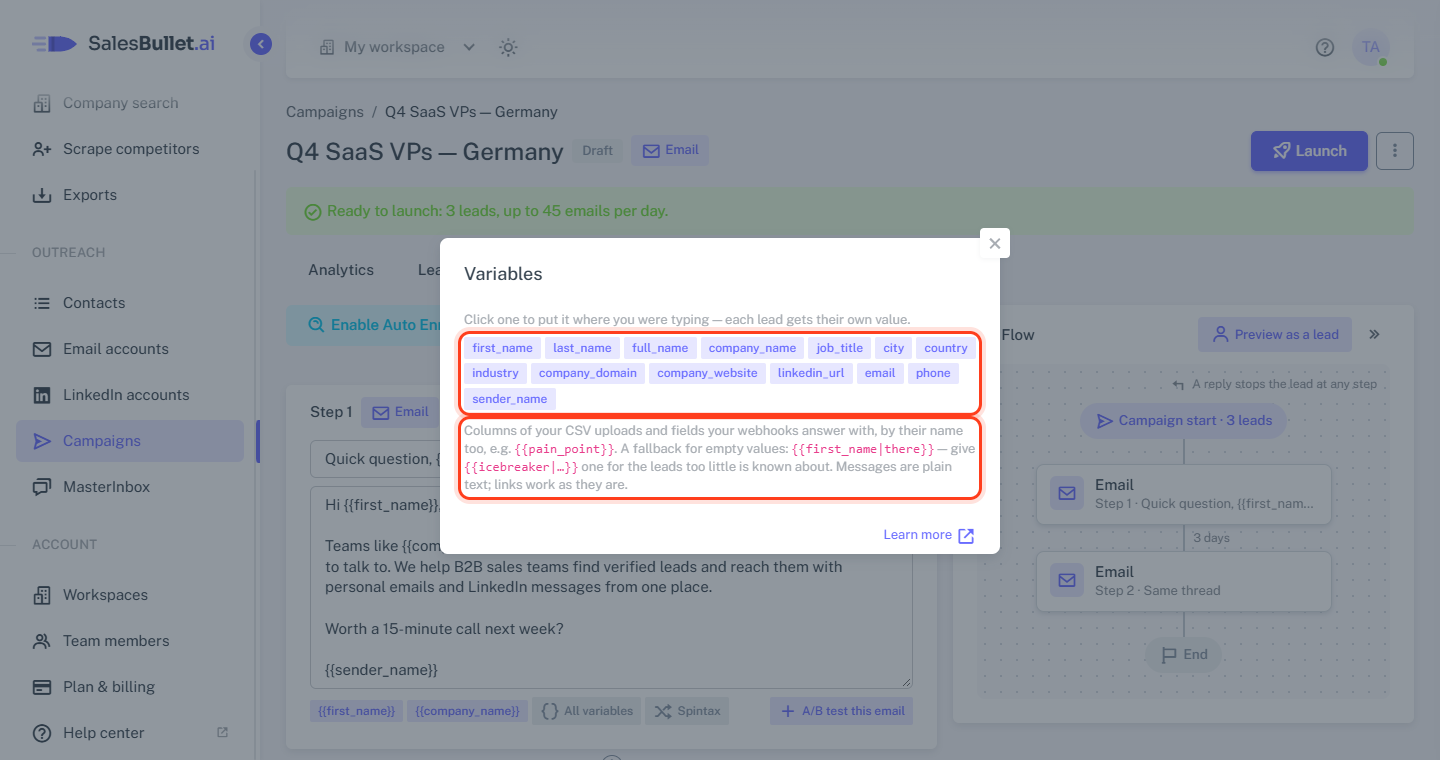
The variables
| Variable | What it is |
|---|---|
{{first_name}}, {{last_name}}, {{full_name}} |
Their name |
{{company_name}}, {{job_title}}, {{industry}} |
Their company, job title and the company's industry |
{{city}}, {{country}} |
Where they are — the country by its name, such as Germany |
{{company_domain}}, {{company_website}} |
Their company's domain and website |
{{email}}, {{phone}}, {{linkedin_url}} |
Their email, phone and LinkedIn profile |
{{sender_name}} |
You — the Sender name of the email account the email goes from; on LinkedIn, the LinkedIn account's name |
Your own fields work by their name too:
- A CSV column you kept as a Custom field when you uploaded it — a column "Pain point" is
{{pain_point}}. See Upload a CSV. - What a Webhook step sends back, such as
{{crm}}. - The intro Personalization writes,
{{icebreaker}}, and what Enrichment finds:{{company_news}},{{recent_activity}}and{{hiring}}.
Capitals, spaces and punctuation don't matter: {{Pain Point}} works as well, and so does {{firstName}}.
Fallbacks for missing values
Not every lead has every detail. Write a fallback after a |: Hi {{first_name|there}}, reads "Hi there," for a lead
without a first name.
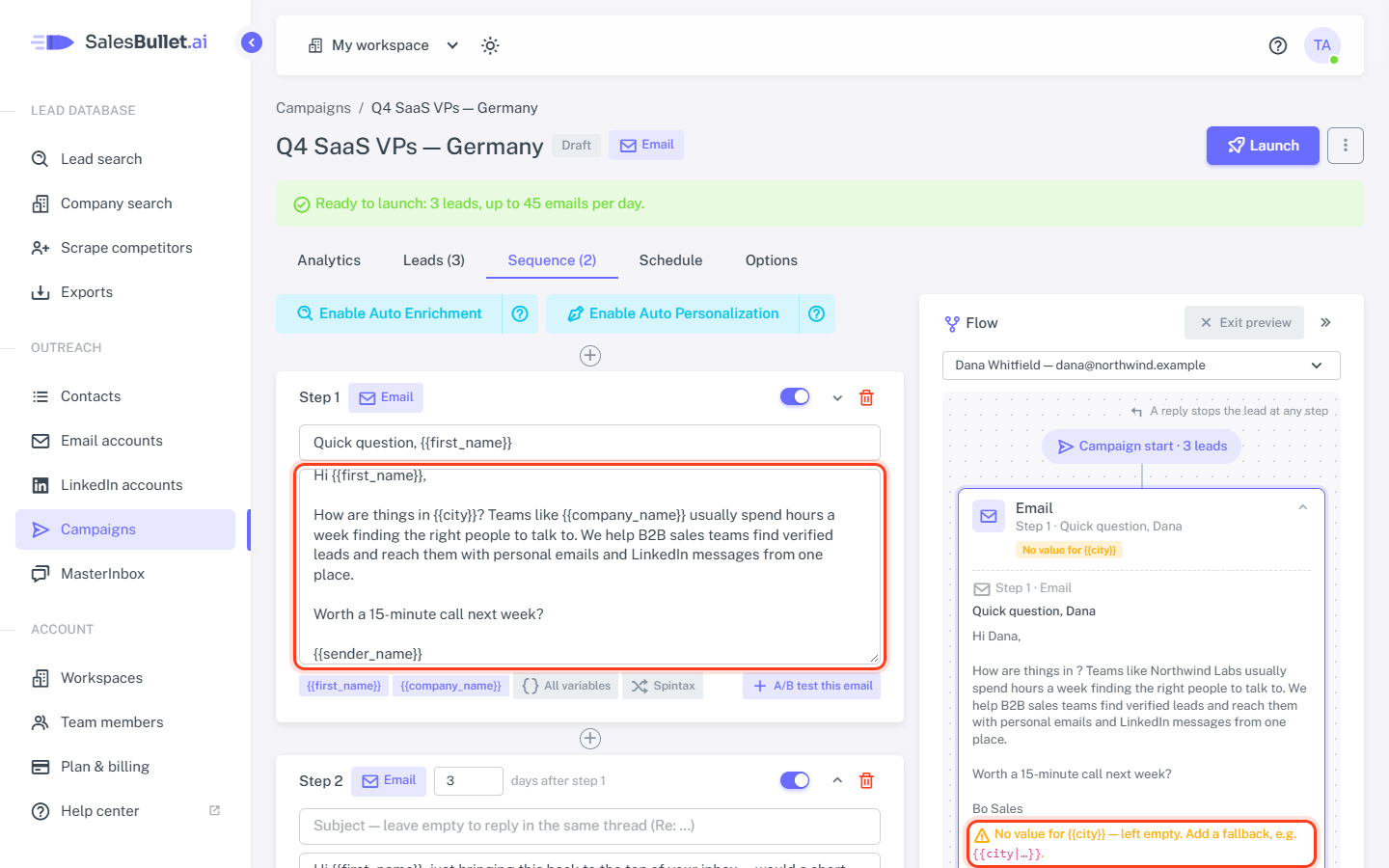
Without a fallback, a missing value is left empty — "Hi ," — and Preview as a lead warns you: the step's box says No value for {{city}}. It doesn't stop the campaign, so check a few leads there before you launch.
Tip
Give each email account a Sender name on Email accounts — without one, {{sender_name}} is empty. Until you
choose accounts on the Options tab, the preview shows "Your name" there.
The values are read when each message goes out, so a detail you correct in your contacts today is right in their next message.