A/B test your emails
Send up to five versions of an email to different leads and see which one gets more replies.
An A/B test sends different versions of an email — variants A to E — to different leads, and the campaign's Analytics shows the replies each one got. Test a subject, an opening line, a question at the end.
Start a test
- On the Sequence tab, under the email, click A/B test this email.
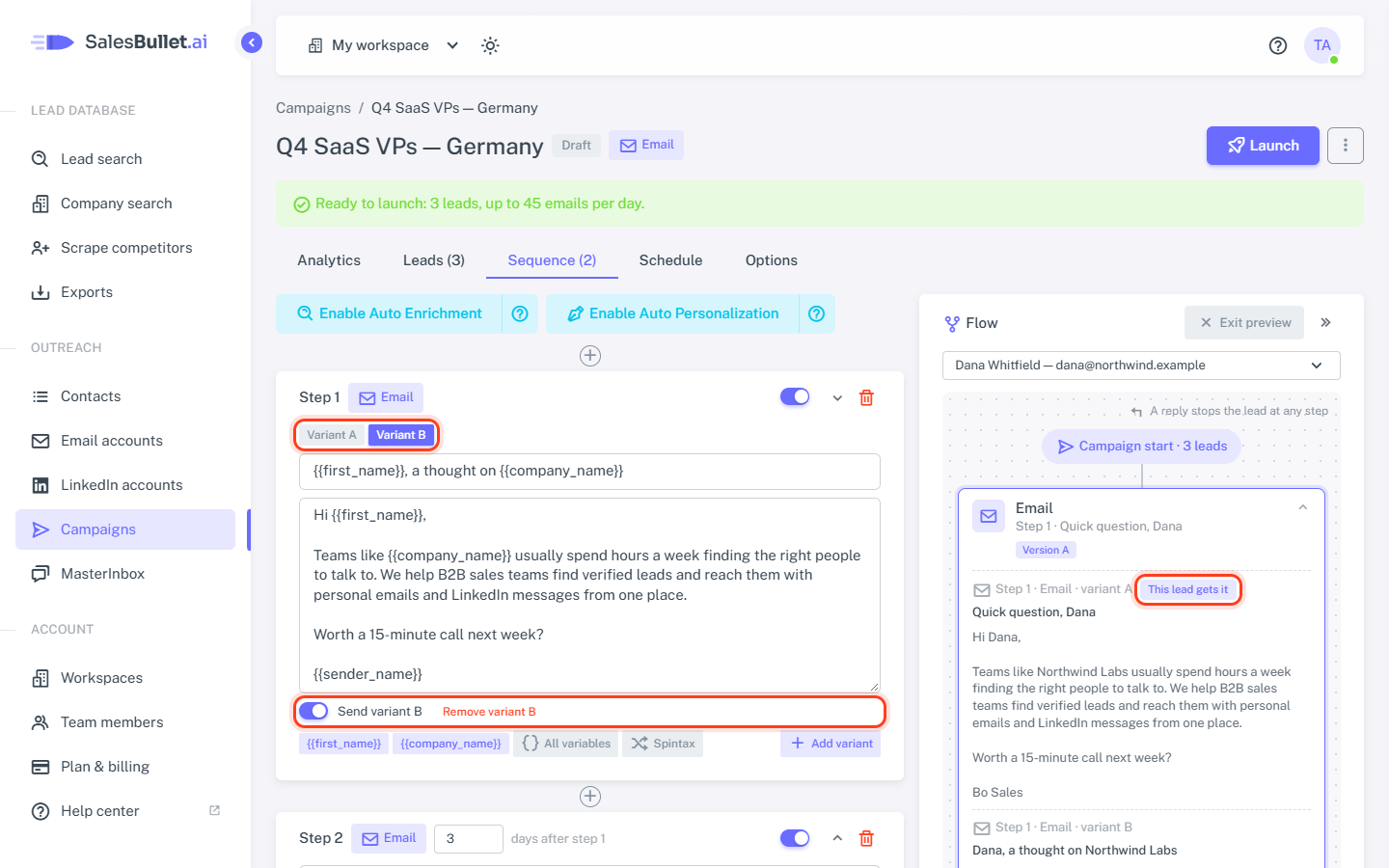
- Variant B appears as a copy of A. Change what you want to test — often just the subject or one line.
- For more, click Add variant — up to five. A new variant starts as a copy of the one on screen.
- Switch between them with the tabs Variant A, Variant B …
- Click Save sequence.
Each variant is checked as an email of its own: every variant of the first email needs a subject, and none may be empty. In a follow-up, a variant with an empty subject replies in the lead's thread; one with a subject starts a new thread.
Who gets which variant
- Each lead gets one of the variants switched on, picked at random — each about as often as the others.
- A lead always gets the same one. Preview as a lead says which on the email's box (Version B); open the box to see every variant, the lead's own marked This lead gets it.
- Each email's test is separate: a lead can get A of one email and B of the next.
- A follow-up in the same thread replies to the subject that lead got.
End a test
Switch Send variant B off and save: leads who haven't had the email yet get one of the other variants. Its numbers stay in Analytics, marked Off. The last variant that's on can't be switched off.
Important
Once a test has sent, switch variants off rather than removing them. Remove variant B moves the letters after it up — C becomes B — while the numbers stay with the letter.
Compare the results
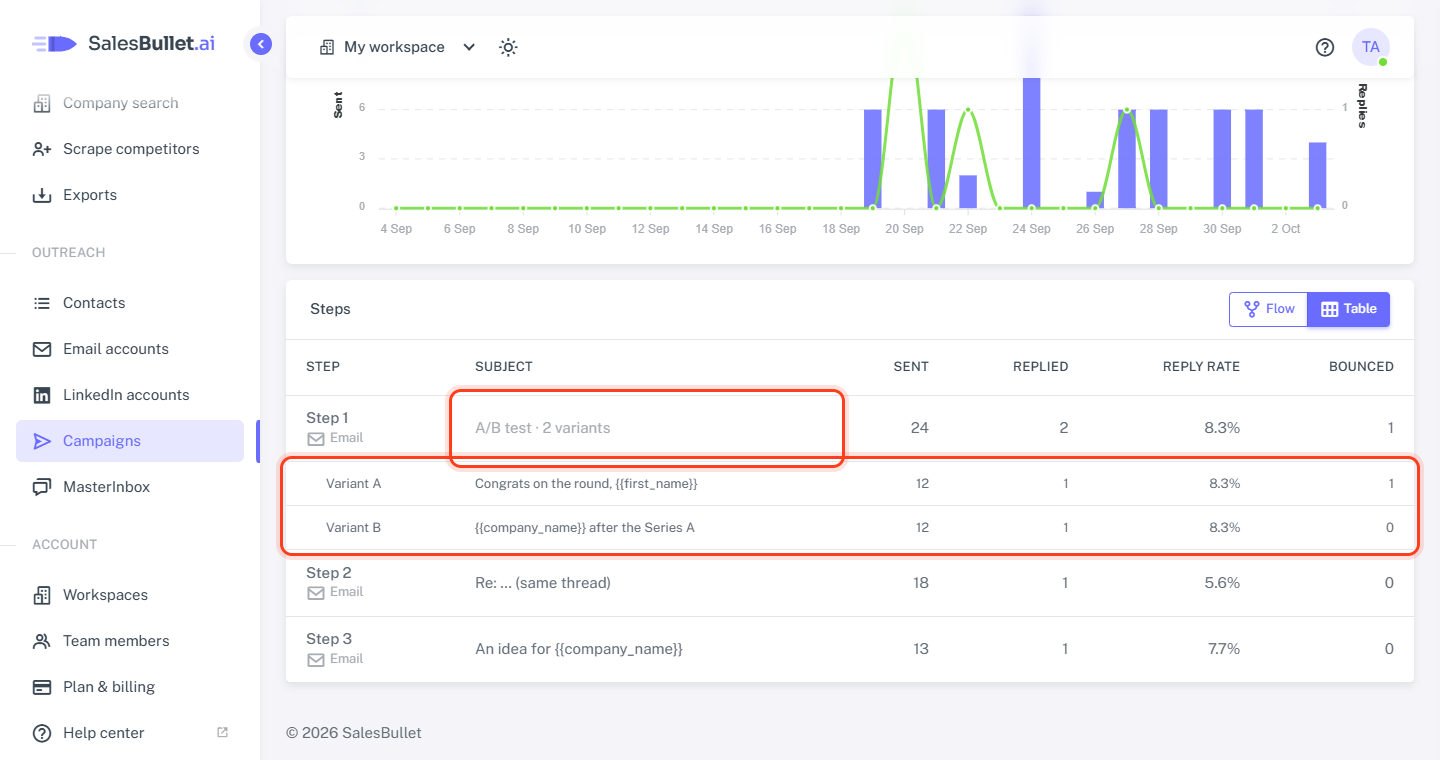
On the campaign's Analytics tab, the email reads A/B test · 2 variants, with a row per variant below it: sent, replied, reply rate and bounced. A reply counts for the variant the lead's first reply answered. See Campaign analytics.
A/B tests are for emails. LinkedIn steps have no variants — vary their words with spintax.