Auto Personalization: a personal intro for each lead
AI writes each lead a short personal opening line; the rest of your message stays the same.
Personalization writes each lead a short personal intro and puts it where you write {{icebreaker}}. The rest of
your message — your pitch — is the same for everyone:
Hi Dana,
Six months into running marketing at Northwind — congrats on the Series B.
Teams like Northwind usually spend hours a week finding the right people to talk to. …
What it writes
- At most 30 words — one or two sentences — in your message's language.
- One specific fact about the lead, from what it knows — never an invented one.
- No greeting, no pitch, no question: it leads into your message.
- When too little is known about someone, it writes nothing, and your fallback goes out instead.
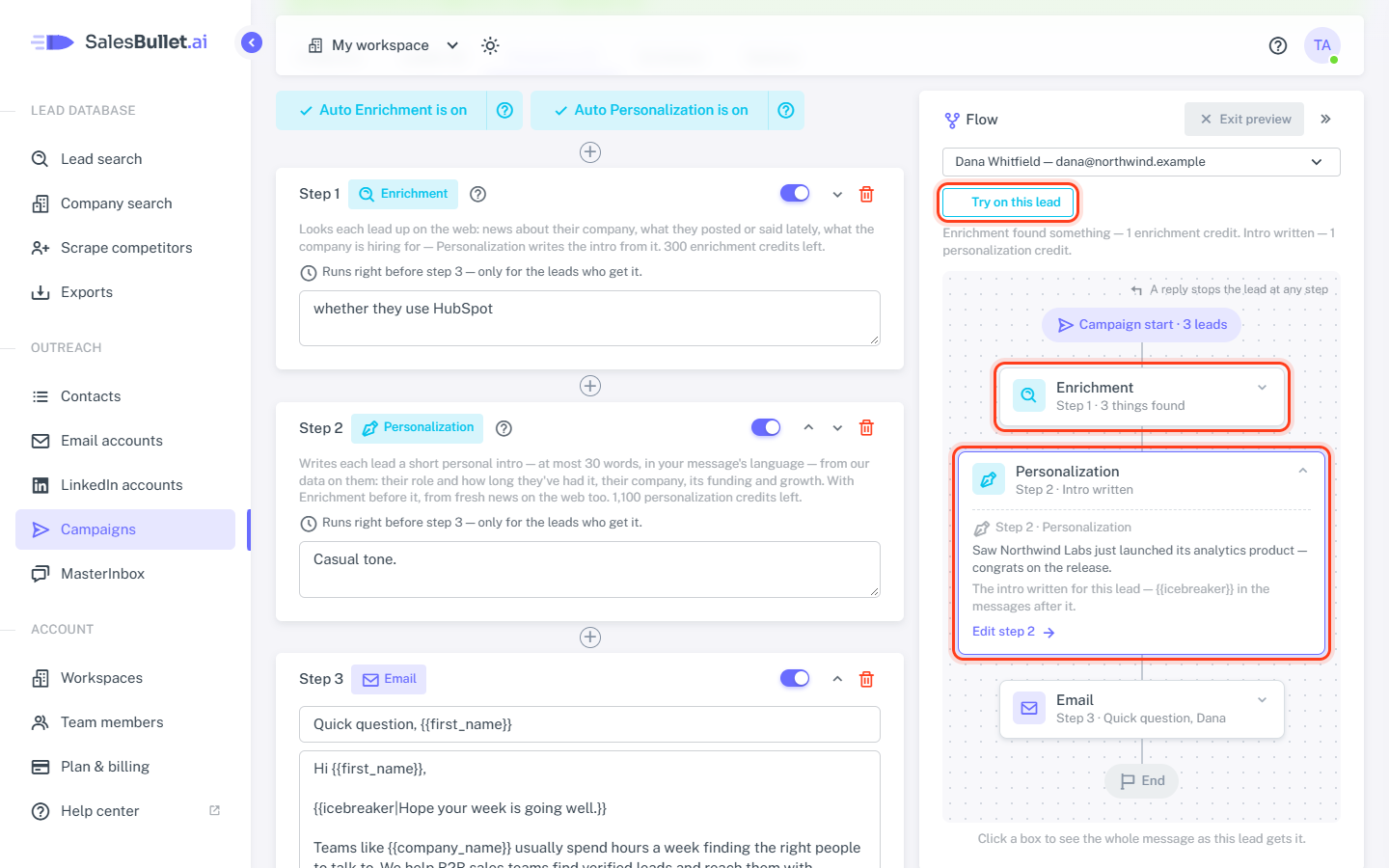
It writes from our data on the lead — their role and how long they've had it, their company, its funding and growth — plus the extra columns of your CSV file and what a Webhook step sent back. With Enrichment before it, fresh news from the web goes in too: "Saw Northwind just launched its analytics product — congrats on the release."
Note
People you uploaded from a CSV file come without our data on them. Their intros are written from your columns — and from the web, with Enrichment.
Switch it on
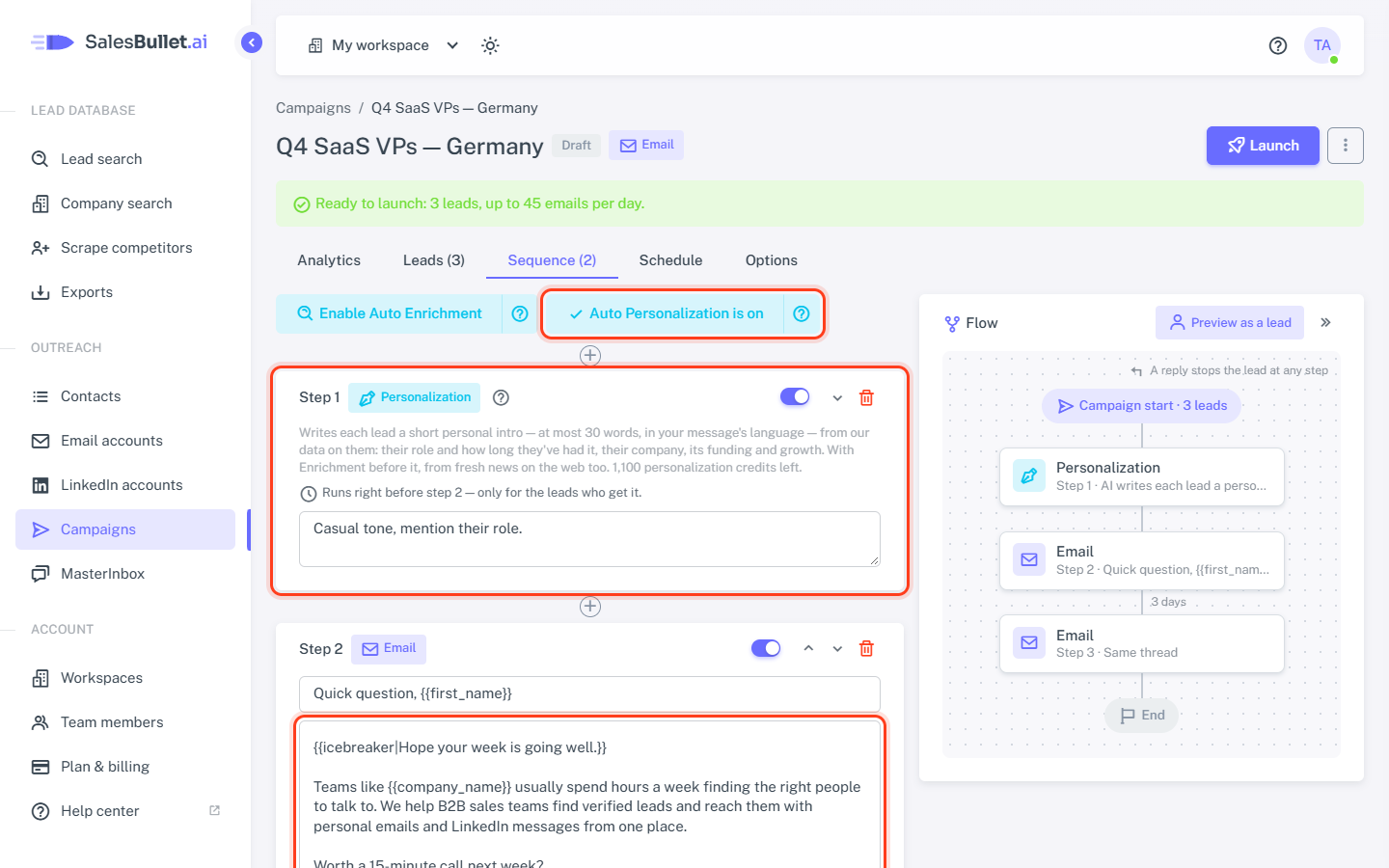
- On your campaign's Sequence tab, click Enable Auto Personalization. The step goes right before the message
with
{{icebreaker}}— or before your first message — and the button now reads Auto Personalization is on. - Put
{{icebreaker}}in the message after it: Add it to step … on the Personalization step puts it after the greeting line. Or click the{{icebreaker}}button under the message. - Optional: write Your instructions — for example, casual tone, mention their role, never mention funding.
- Click Save sequence.
Where to put {{icebreaker}}
Right after the greeting — and give it a fallback after | for the leads too little is known about:
Hi {{first_name}},

{{icebreaker|Hope your week is going well.}}

Teams like {{company_name}} usually spend hours a week …
It works in emails and LinkedIn messages alike. Until a lead's intro is written, the preview shows "[a personal intro — step 1 writes one for each lead]" in its place. More on fallbacks: Variables and fallbacks.
When it runs
Like Enrichment, right before the step after it, and only for the leads who get that step. Each campaign writes its own intro for a lead; the Leads tab shows it under their name.
Credits
- 1 personalization credit per intro — no intro, no charge.
- No credits left: leads wait at the step, and your account's owner gets an email — "Your campaign "Q4 SaaS VPs — Germany" is waiting for personalization credits" — at most once a day. The leads go on by themselves once there are credits again.
- A campaign with Personalization can't be launched while there are none.
Try it on one lead
Click Preview as a lead above the flow, choose a lead and click Try on this lead, then Run. Open the Personalization box to see the intro, and the message after it to see it in place. The lead keeps that intro — the sending uses it and doesn't charge again. Trying again writes a new one, for another credit.