Campaign analytics
What a campaign sent, who replied and the opportunities it made — in total, day by day and per step.
A campaign's Analytics tab shows its results — once it's launched, its page opens there. Until the first message goes out it says "Nothing done yet — the numbers show up here once the campaign sends."
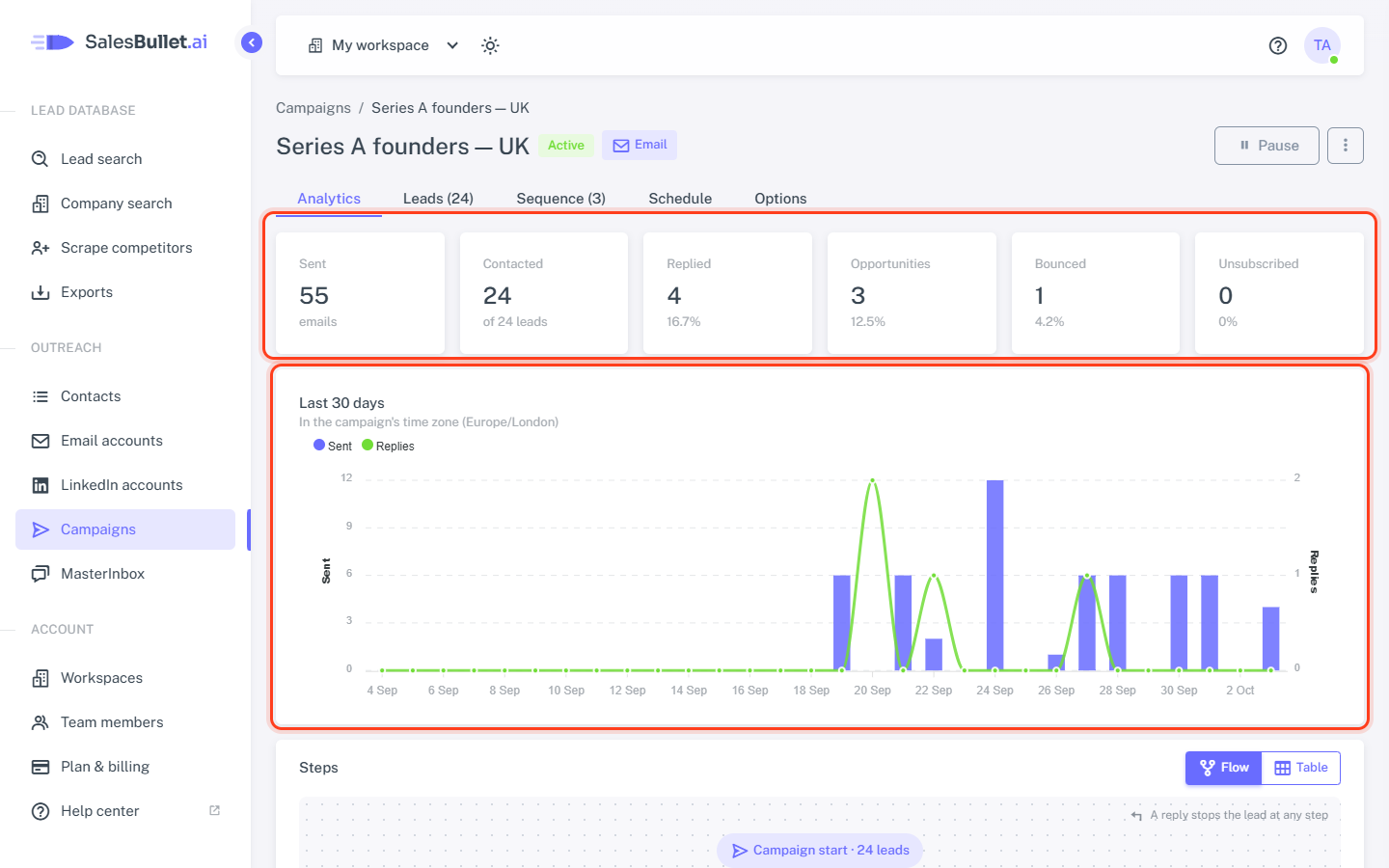
The totals
- Sent — the emails of the sequence. Your replies from the MasterInbox don't count.
- Contacted — the leads who got at least one email or LinkedIn step, of all the campaign's leads.
- Replied — the leads who replied. Out-of-office replies don't count.
- Opportunities — the leads whose conversation in the MasterInbox is labeled Interested, Meeting booked, Meeting completed or Won, or with one of your own positive labels. See Labels.
- Bounced and Unsubscribed — the leads whose email bounced, and those who unsubscribed.
The percentages are of the leads contacted. LinkedIn and Email + LinkedIn campaigns add Requests (connection requests sent), Accepted (of those requests) and Messages (LinkedIn messages and InMails sent).
The chart
Last 30 days, in the campaign's time zone: a bar for what went out each day — emails, and LinkedIn steps when the campaign has them — and a line for the replies. Point at a day to see its numbers.
Per step
Flow shows the sequence as boxes, as on the Sequence tab, each with its numbers. The badge says how many went out. Under it are the replies and the reply rate, the bounces for an email and the accepted requests for a connection request. Click a box to open its step in the Sequence tab.
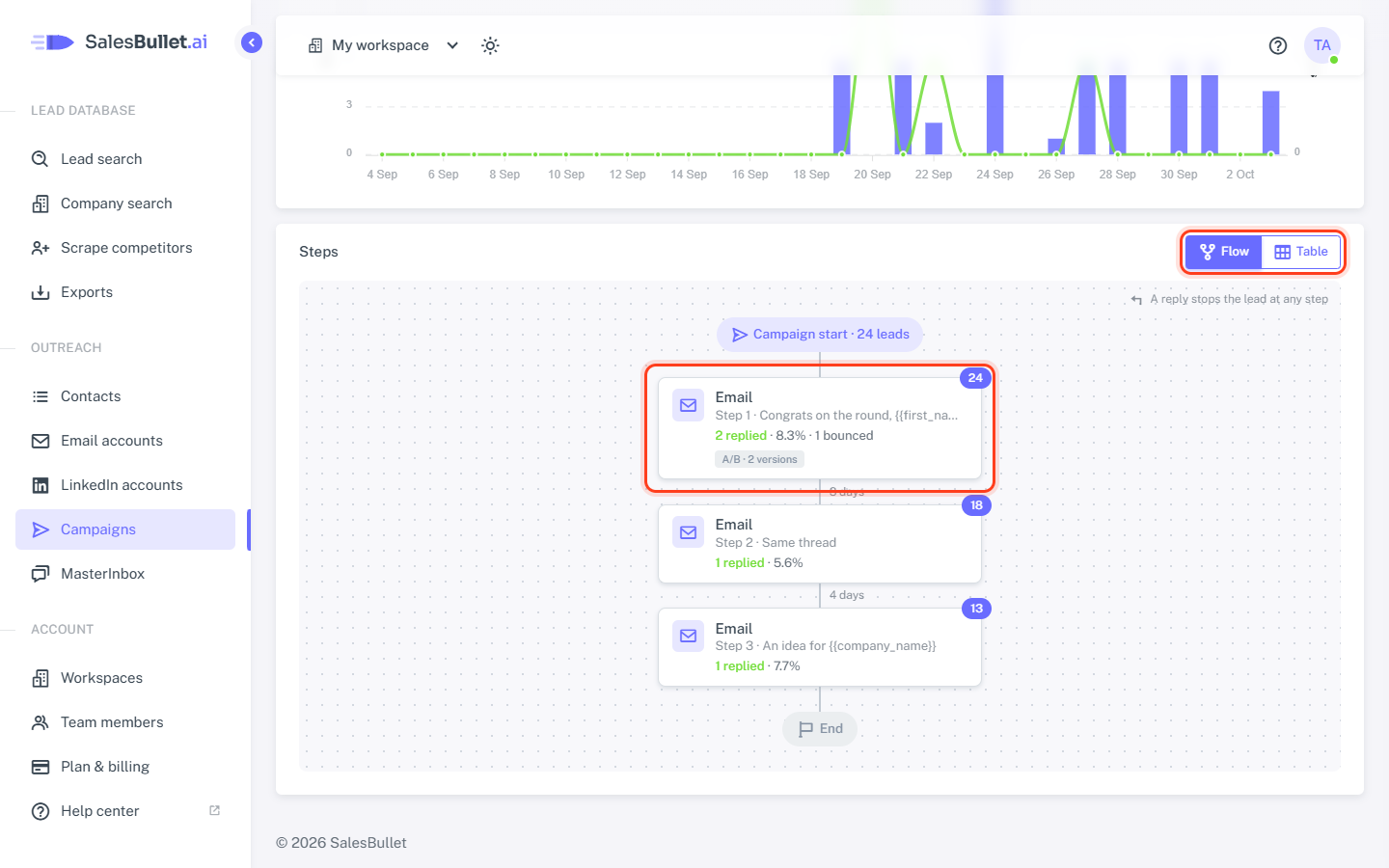
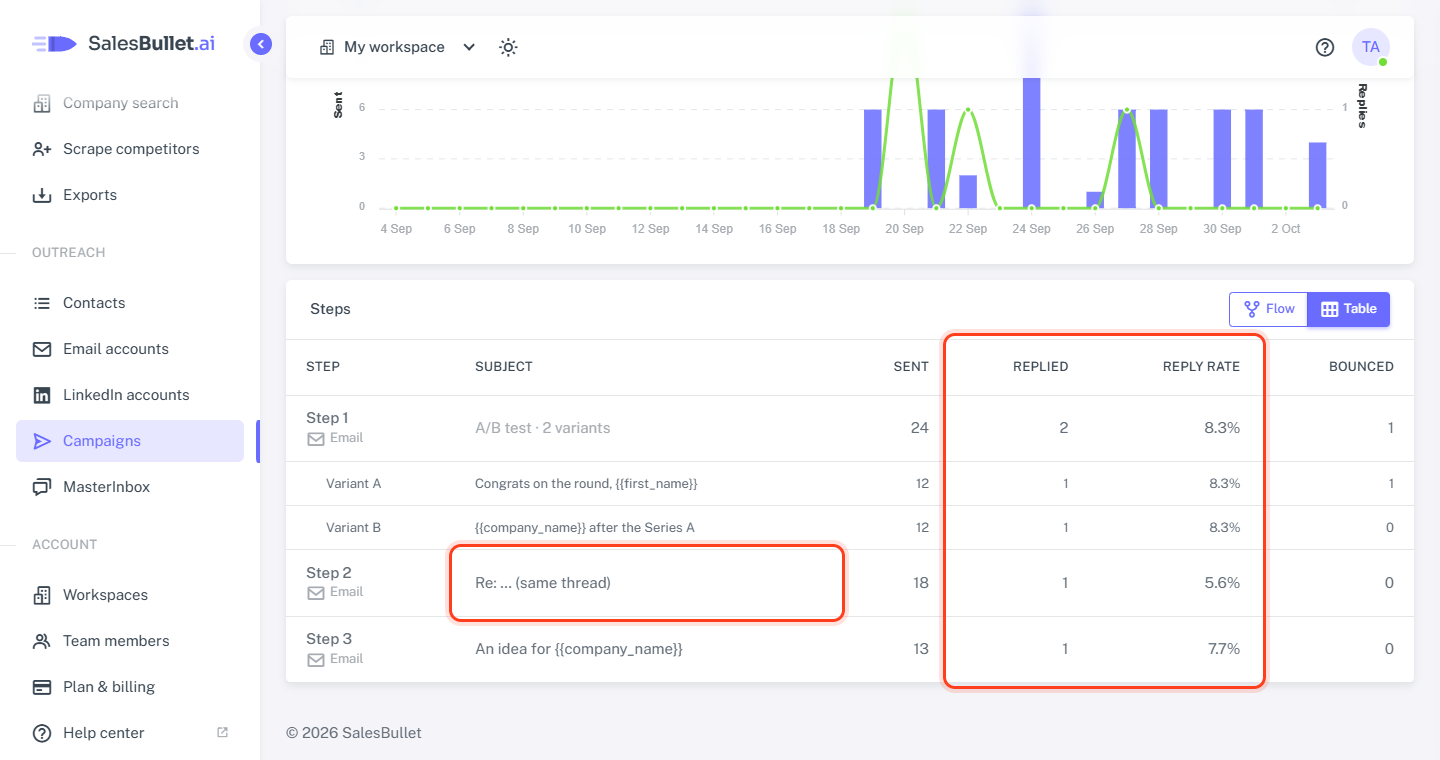
Table has the same numbers, a row for each message of the sequence:
- Sent (Done in LinkedIn and Email + LinkedIn campaigns) — how many went out.
- Replied and Reply rate — the leads whose first reply answered this step: for an email, the email they replied to; on LinkedIn, the last LinkedIn step before their message.
- Bounced — for emails.
A follow-up in the same thread reads Re: … (same thread). An email with an A/B test has a row for each variant under it — see A/B test your emails. Enrichment, Personalization and Webhook steps send nothing, so they have no row.
Note
SalesBullet doesn't track opens or clicks — your emails carry no tracking pixel and no rewritten links. Replies are what the numbers count.
The Campaigns page shows each campaign's leads, sent and replied as well — there, Sent also counts LinkedIn connection requests, messages and InMails.