Auto Enrichment: research each lead
Looks each lead up on the web — company news, their posts, hiring — for a personal intro.
Enrichment looks each lead up on the web right before they're contacted. Personalization then writes their personal intro from what it found — see Auto Personalization.
What it looks for
Only what's recent — the last six months — and only about this exact person and company:
- Company news — funding, product launches, expansion, acquisitions, partnerships or awards.
- Their public activity — a LinkedIn post, an article, a podcast, a talk or an interview.
- Hiring — what their company is hiring for, or how it's growing.
- One thing of your own in Also look for … — for example, whether they use Salesforce.
A finding reads like this: "Northwind launched its analytics product in September 2026."
Switch it on
- Open your campaign's Sequence tab.
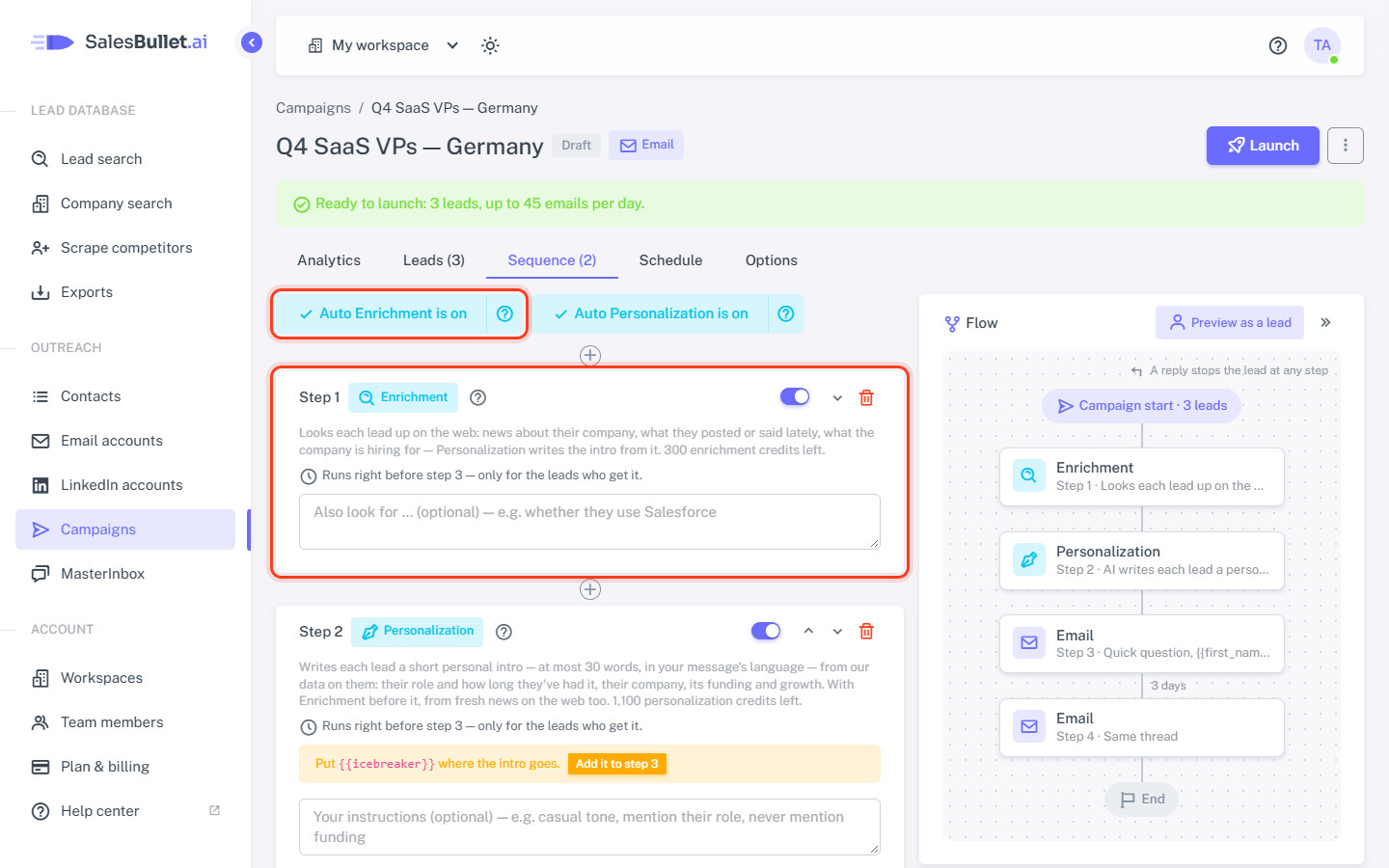
- Click Enable Auto Enrichment above the steps. Enrichment and Personalization are added before your first message
(or the one with
{{icebreaker}}), and the button now reads Auto Enrichment is on. - Optional: fill in Also look for … on the Enrichment step.
- Put
{{icebreaker}}in the message after them — Personalization's step has an Add it to step … button — and click Save sequence.
The ? beside the button says what Enrichment does and how many enrichment credits you have left. You can also add it from Add step or the + between two steps, and move it with ↑ ↓.
It comes with Personalization
Enrichment only feeds the intro, so the two go together:
- Adding Enrichment adds Personalization after it.
- Switching Personalization off switches Enrichment off too, and removing Personalization removes Enrichment — after asking.
- Switching Enrichment back on switches Personalization on.
Personalization works without it: remove Enrichment and the intros are written from our data on each lead alone.
When it runs
Enrichment has no wait of its own. It runs right before the step after it, and only for the leads who get that step — its step says so: "Runs right before step 3 — only for the leads who get it."
For example: Visit profile, Connection request, Enrichment, Personalization, then a LinkedIn message that goes Only if connected on LinkedIn. Only the people who accept your request are researched — as soon as they accept. Everyone else passes Enrichment, free.
Research is kept for 30 days
What Enrichment finds is kept with the contact. For 30 days every campaign reuses it, free — as long as its Also look
for … asks the same thing. The findings are also variables for your messages: {{company_news}},
{{recent_activity}} and {{hiring}} (under All variables).
Credits
- 1 enrichment credit per lead it finds something about — nothing found, nothing charged.
- No credits left: leads wait at the step and your account's owner gets an email. The leads go on by themselves once there are credits again. A campaign with Enrichment can't be launched without them.
Try it on one lead
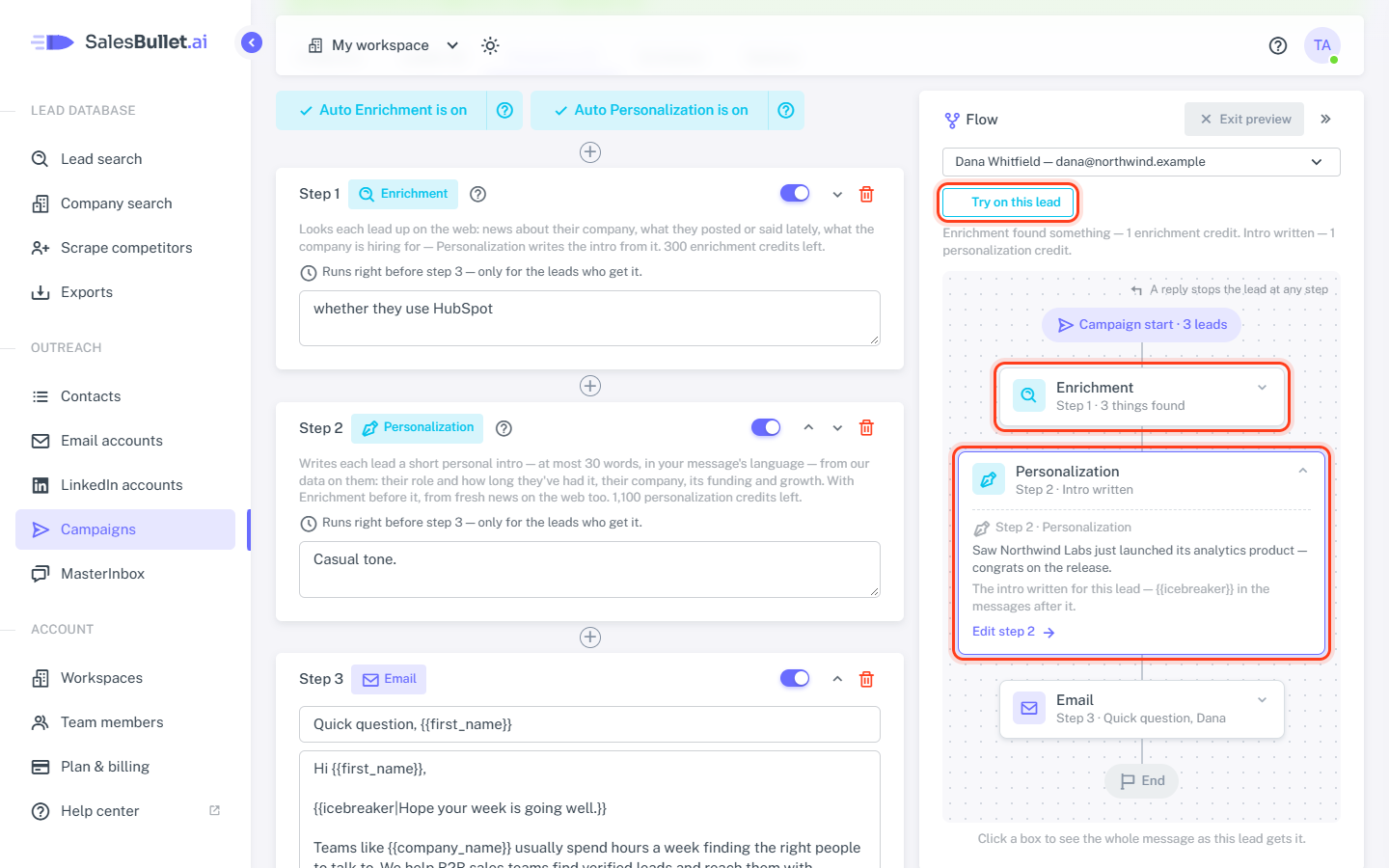
Click Preview as a lead above the flow, choose a lead and click Try on this lead, then Run. It uses up to 1 enrichment and 1 personalization credit — the same the sending would. Open the boxes to see what Enrichment found (with its sources), the intro, and the message with it.
Tip
No need to save first: it tries the sequence as it is in the editor. The lead keeps what was found and the intro — the sending uses them without charging again.