Buy domains and email accounts
Order new domains and ready-to-send email accounts, DNS and warm-up done for you: the steps and what follows.
We register new domains for your cold email, set up their DNS (SPF, DKIM, DMARC) and connect ready-to-send email accounts, warm-up included — your main domain stays out of it. On Email accounts, click Buy domains & email accounts.
Order in four steps
- How many — type any one of Emails per day, Email accounts or Domains; the others follow from Emails per day per account (15 recommended) and Accounts per domain (4–8 recommended). Up to 50 domains per order.
- Domains — type Your website and click Suggest names: names made from your brand, like getacme.com or acmehq.com, that send visitors on to your website. .com comes first, for the best deliverability; Mix in another extension (e.g. .de for Germany, .at for Austria) for other countries. Change any name, or click ↻ for another idea — every name must be Free to continue.
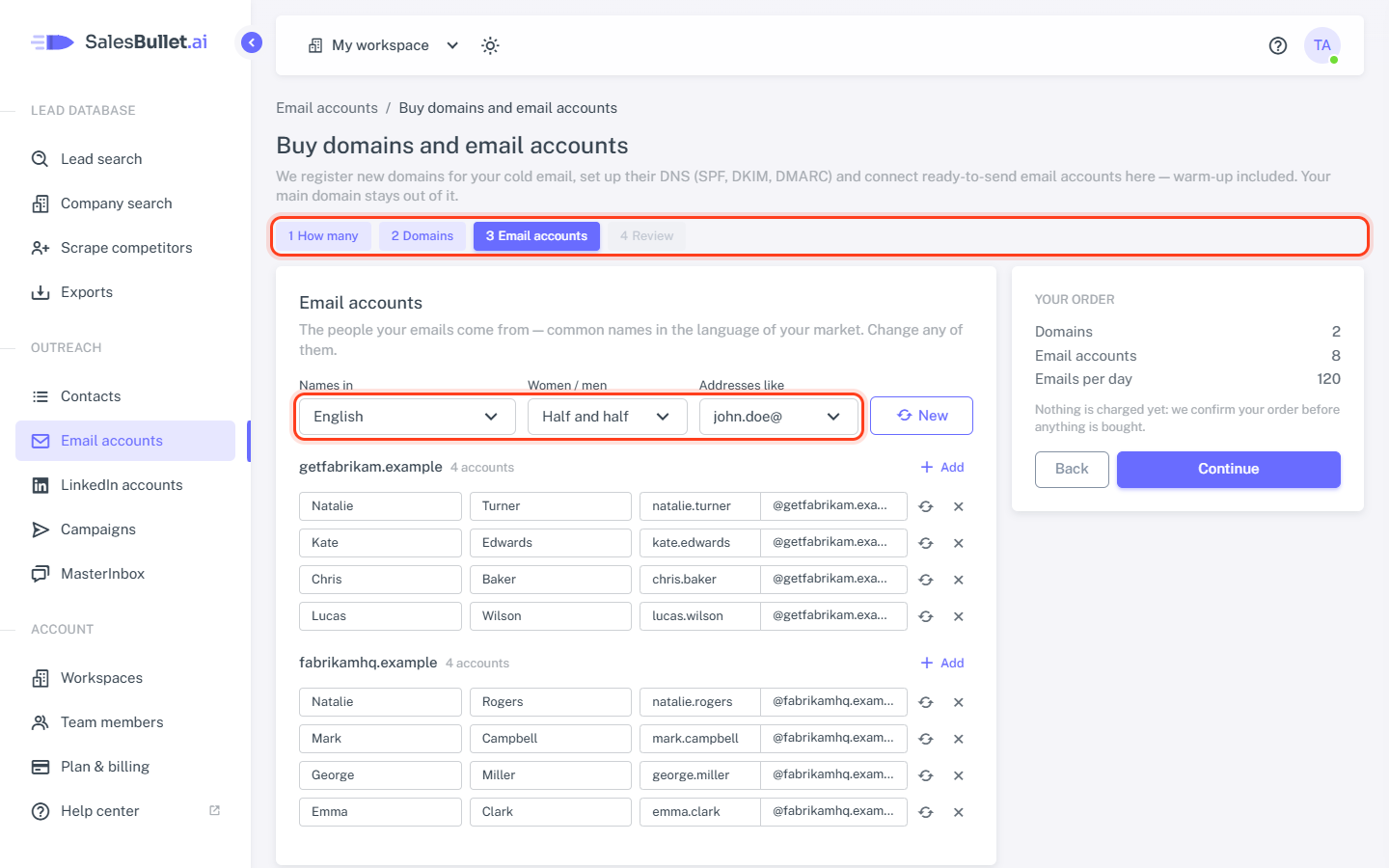
- Email accounts — the people your emails come from, with common names in your market's language. Pick Names in, Women / men and Addresses like, then change anyone, click ↻ for someone else, or Add one.
- Review — check the domains and people, and click Place order.
Nothing is charged yet: the order shows Waiting for payment until we confirm it. Nothing is bought or charged before that, and until then you can Cancel order.
While it's set up
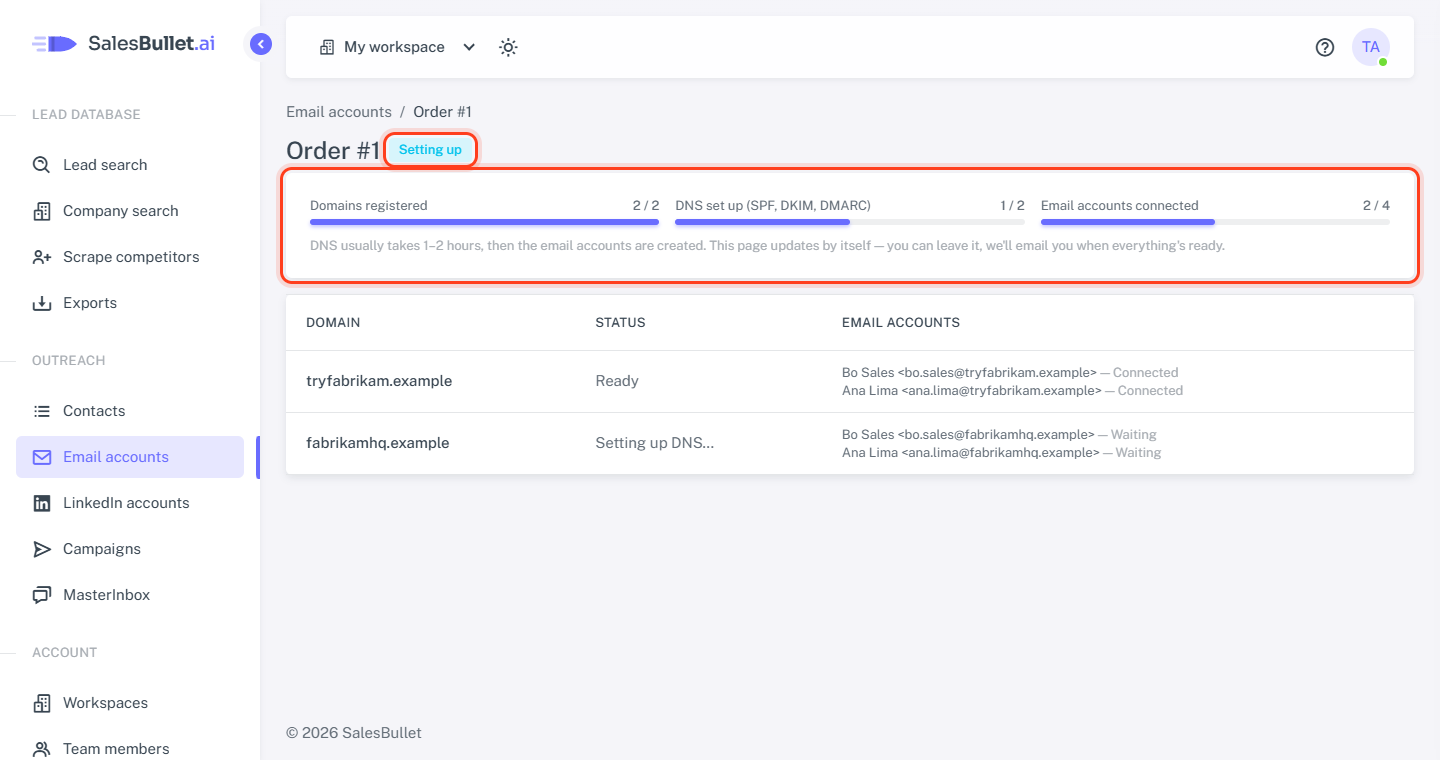
The order's page updates by itself: Domains registered, DNS set up (SPF, DKIM, DMARC) and Email accounts connected. DNS usually takes 1–2 hours, then the email accounts are created — usually all within a few hours. You can leave: we email you when everything's ready, and Open at the top of Email accounts takes you back to the order.
- Setting up — on its way. "Delayed — we're on it" next to a domain or account needs nothing from you.
- Pick another name — someone registered one of your names first. Type another with the same ending (Suggest helps) and click Use this name; its email accounts move to it. We email you about it too.
- Ready — all set.
Your new email accounts
They appear on Email accounts by themselves, with SalesBullet as their provider, warm-up on and the emails per day per account you chose. We keep their login working, so their page shows no password — you change the sender name, limits and warm-up.
- Warm-up builds their reputation over 2–3 weeks: send a few emails per day at first — lower their Emails per day — then more (Sending limits and pace).
- Each sends at most 95 emails per day, warm-up included.
- They email company addresses only. A campaign with only bought accounts skips leads with a personal address (Gmail, Outlook.com …) — add one of your own email accounts to reach them.