Warm up your email accounts
A few emails a day with real mailboxes so providers trust yours: switching it on, its numbers, its problems.
Warm-up sends a few emails per day with other real mailboxes — opened, answered and taken out of spam — so providers learn to trust your account and your campaign emails land in the inbox. It starts small and grows each day up to the limit. Keep it on while the account sends campaigns.
Switch it on
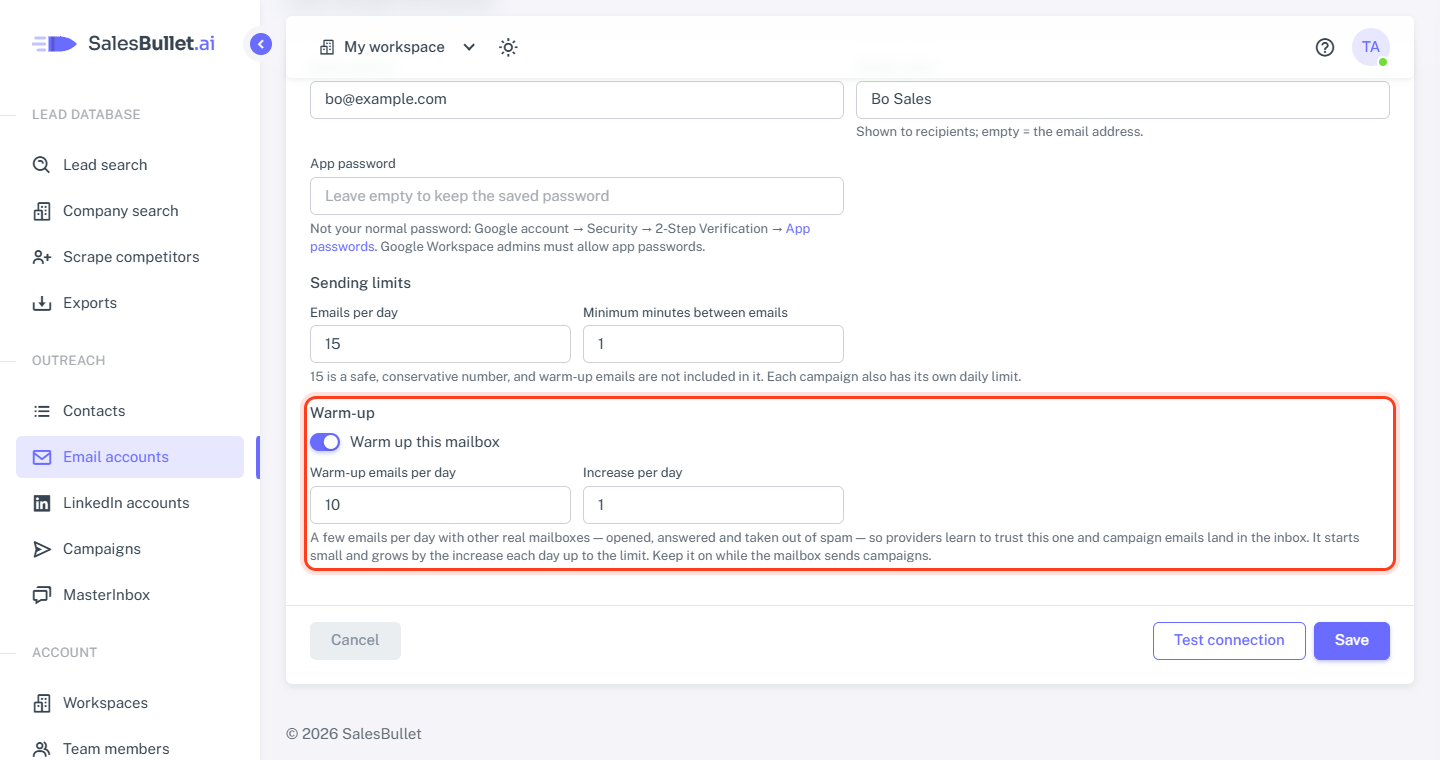
New email accounts have warm-up on, except Microsoft 365 / Outlook ones (below). To change it, click the account's address on Email accounts and find Warm-up:
- Warm up this mailbox — the switch.
- Warm-up emails per day — the most per day, 1 to 50; 10 recommended.
- Increase per day — how many more each day until then, 1 to 4; 1 recommended.
Then click Save — or use the flame on the account's row in the list: Turn warm-up on or Turn warm-up off. Switched on again later, warm-up goes on where it left off.
Warm-up emails come on top of the account's Emails per day (Sending limits and pace). They arrive in the mailbox itself, never in the MasterInbox.
What the list shows
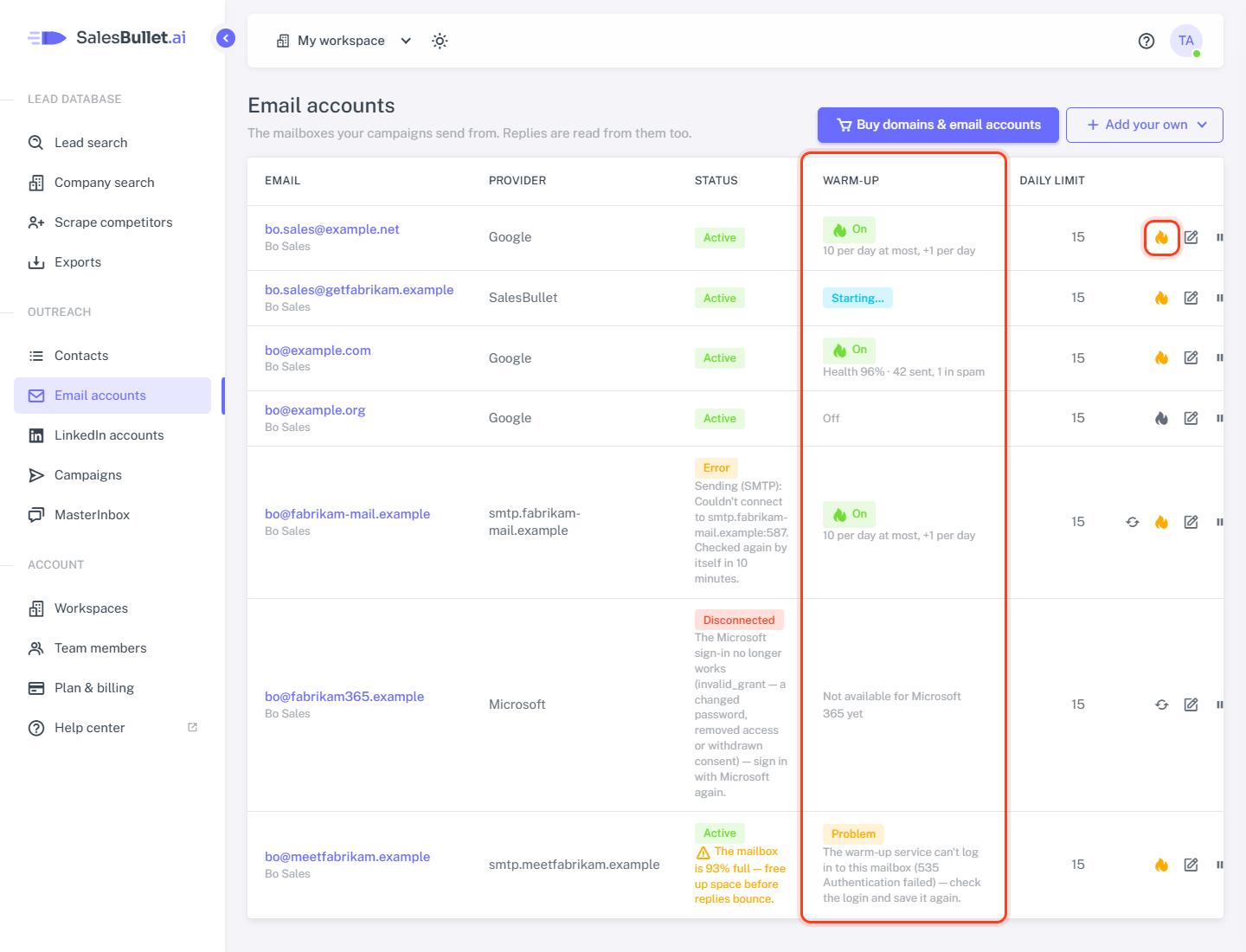
The Warm-up column of Email accounts:
- Starting… or Stopping… — your change is on its way, usually within a minute or two. The list updates by itself.
- Waits for a working login — it starts once the account's login works: an imported account still being checked, or a refused login.
- On — with the last 7 days, such as "Health 95% · 40 sent, 2 in spam". Health is the share that landed in the inbox. The first numbers come about 10 minutes after the start, then every few hours; until then the row shows the settings, "10 per day at most, +1 per day".
- Problem — with the reason, such as "The warm-up service can't log in to this mailbox (…) — check the login and save it again." Fix the password on the account's page and click Save. "Warm-up couldn't start yet — it's tried again by itself." needs nothing from you.
- Stopped (Free plan) — your plan has been Free for a while, so it was taken off warm-up. It starts again from the beginning when you upgrade (plans).
- Off.
Microsoft 365 and Outlook
Automatic warm-up isn't available for Microsoft 365 / Outlook mailboxes yet: the ones connected with Sign in with Microsoft, and ones on Microsoft's servers imported from a CSV file. Their row says "Not available for Microsoft 365 yet", with no flame. You can still send campaigns from them.
Note
No Warm-up column on Email accounts? Then warm-up isn't offered yet, for any account.
Removing an email account takes it out of warm-up too.