LinkedIn daily limits
How many requests, messages, profile views and likes each account does a day — and how to change it.
Every LinkedIn account has limits of its own: the most it does in any 24 hours, all its campaigns together. They start low, and you can raise them.
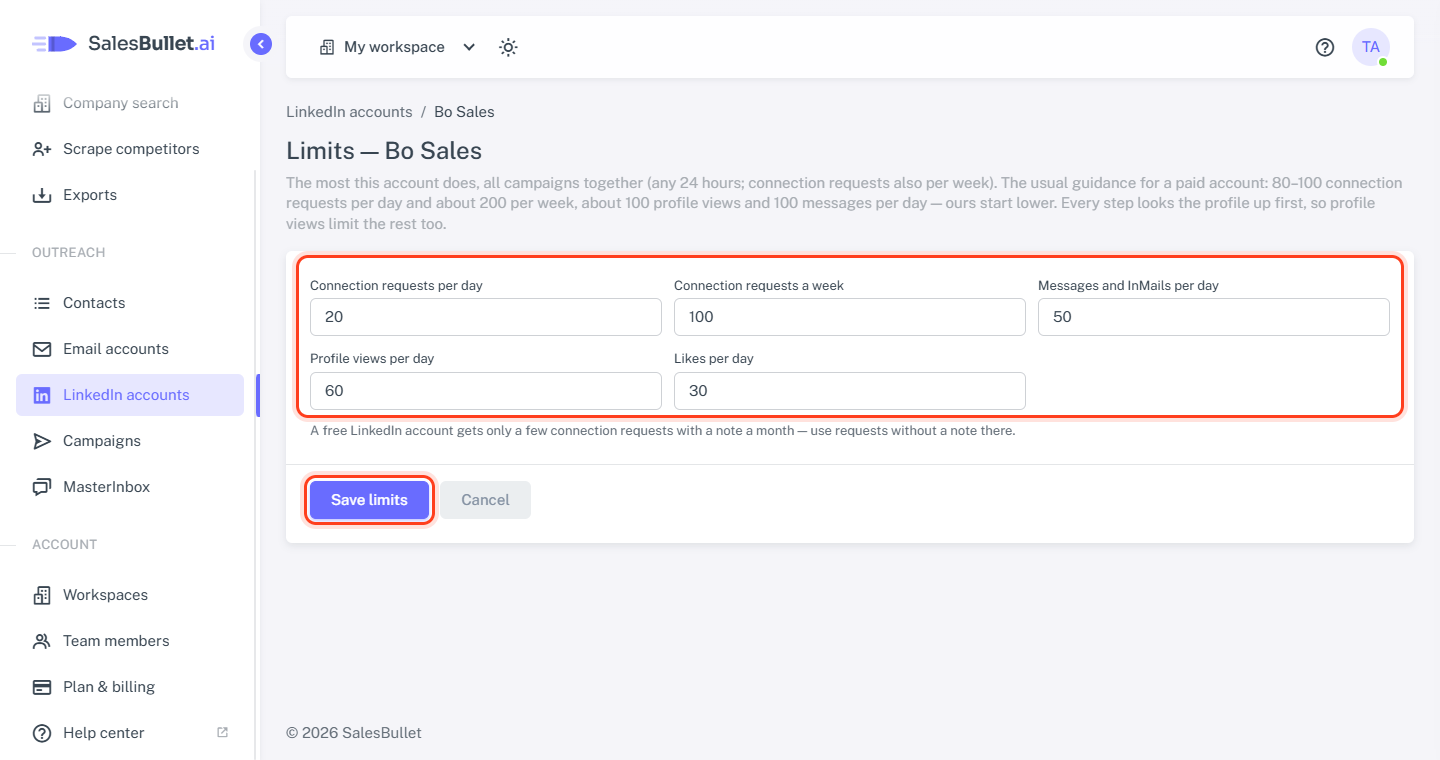
The limits
| Limit | Starts at | Highest |
|---|---|---|
| Connection requests per day | 20 | 100 |
| Connection requests a week | 100 | 200 |
| Messages and InMails per day | 50 | 150 |
| Profile views per day | 60 | 150 |
| Likes per day | 30 | 100 |
- A day is any 24 hours, not the calendar day; a week, any 7 days.
- Messages and InMails share one limit. Your LinkedIn replies from the MasterInbox count toward it too.
- A profile view counts each time the account opens a lead's profile: every Visit profile step, and the look-up before most other steps — to find the person, or to check whether you're connected. When the profile views are used up, the account does no steps at all until some free up.
When a limit is reached, those steps wait and the account goes on with the others. If LinkedIn itself refuses because of its own limits, the account waits an hour and tries again.
Change them
- Open LinkedIn accounts.
- On the account's row, click Limits (the sliders).
- Change the numbers and click Save limits.
Tip
The usual guidance for a paid LinkedIn account is 80–100 connection requests a day and about 200 a week, and about 100 profile views and 100 messages a day — the limits start lower. A free LinkedIn account gets only a few connection requests with a note a month: send requests without a note from it.
One step at a time
An account does one step at a time, each a random 3 to 10 minutes after the one before, so it never works to a fixed rhythm. Steps go only on the campaign's sending days and hours (Schedule).
Campaigns share an account
The limits belong to the account, not to a campaign. An account in several running campaigns takes each next step from one of them at random, so they share it about evenly. On a campaign's Options tab:
- Follow-ups go first — such as the message to someone who just accepted your request — unless you tick Prioritize new leads.
- Max new leads per day caps how many people the campaign contacts for the first time, on either channel.
- To reach more people a day, tick more LinkedIn accounts. Each lead stays on the account that first worked it — its connection and chat are there.