LinkedIn steps in a campaign
Visits, connection requests, messages, InMails and likes — and messages that go as soon as they accept.
LinkedIn and Email + LinkedIn campaigns have LinkedIn steps. They go from the LinkedIn accounts you tick on the campaign's Options tab, within each account's daily limits.
The steps
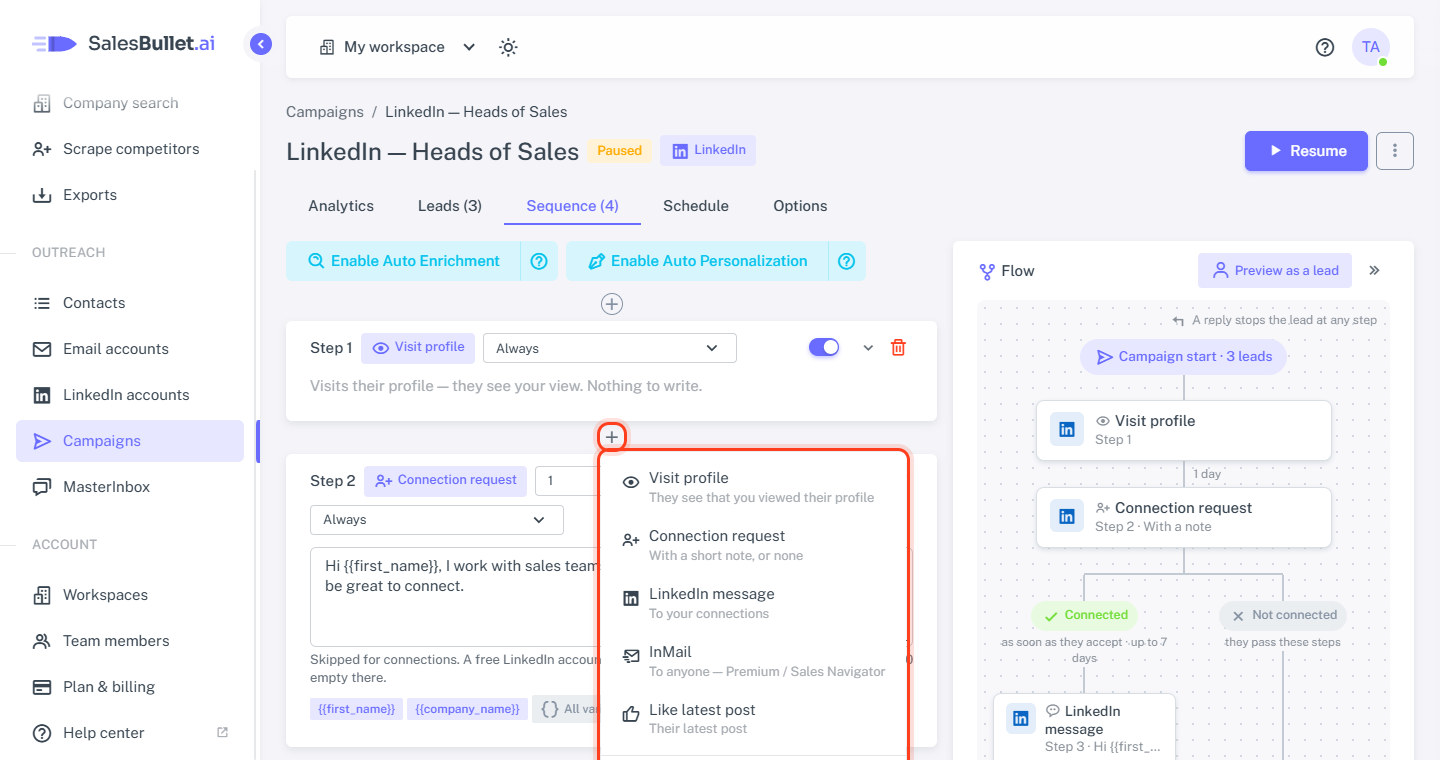
On the Sequence tab, click Add step — or the + between two steps — and choose what it does. An Email + LinkedIn campaign offers Email too; the LinkedIn steps are:
- Visit profile — they see that you viewed their profile. Nothing to write.
- Connection request — with a short note of up to 300 characters, or none. Skipped for people who are your connections already, or still have your request.
- LinkedIn message — up to 8,000 characters, to your connections only; skipped for the others.
- InMail — to anyone: a subject if you like, and up to 1,900 characters. It needs a Premium or Sales Navigator account with InMail credits; when LinkedIn refuses, the step is skipped.
- Like latest post — skipped when they have no post.
Notes, messages and InMails take variables and spintax, as
emails do — {{sender_name}} is the LinkedIn account's name. With spintax, the counter under a note counts its longest
variant.
Tip
A free LinkedIn account gets only a few notes a month — leave the note empty there.
When each step goes
A lead's first step goes as soon as it can, on the campaign's schedule. Each step after it waits a number of days after the step before: 0 to 90 for a LinkedIn step (0 = the same day), at least 1 for an email. A skipped step counts as done — the next one waits from then.
Only if connected — or not
In these campaigns every LinkedIn step and email has a condition: Always, Only if connected on LinkedIn or Only if not connected on LinkedIn. It's checked when the step is due; when it doesn't hold, the step is skipped.
The message after a connection request
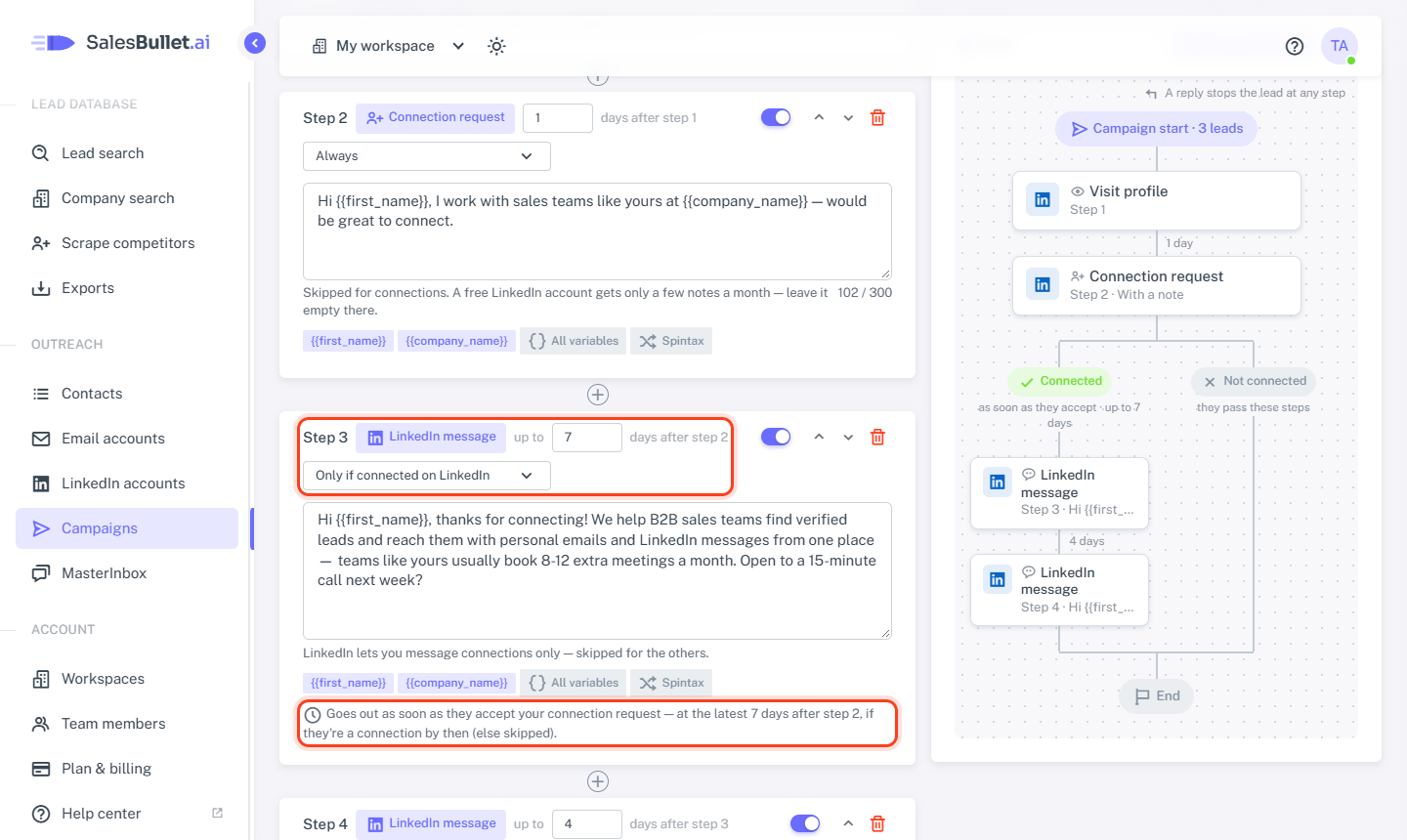
Give it Only if connected on LinkedIn. Its wait then reads up to that many days:
- When they accept, the message goes right away.
- Not accepted by the end of the wait: it's checked once more, and if they still aren't a connection, the step is skipped. The steps for the people who didn't accept follow — such as an email Only if not connected on LinkedIn.
Note
LinkedIn can take a few hours to report that someone accepted — the message goes once it has.
When they reply
Any reply on LinkedIn stops the lead, as an email reply does — and the same person stops in your other campaigns. The conversation lands in the MasterInbox, both channels in one thread, with lines such as Accepted your connection request — reply there. Messages you write on LinkedIn itself don't show up in the MasterInbox.
On the campaign's Leads tab, a lead shows Invited once your request went, and Connected once you're connected.